









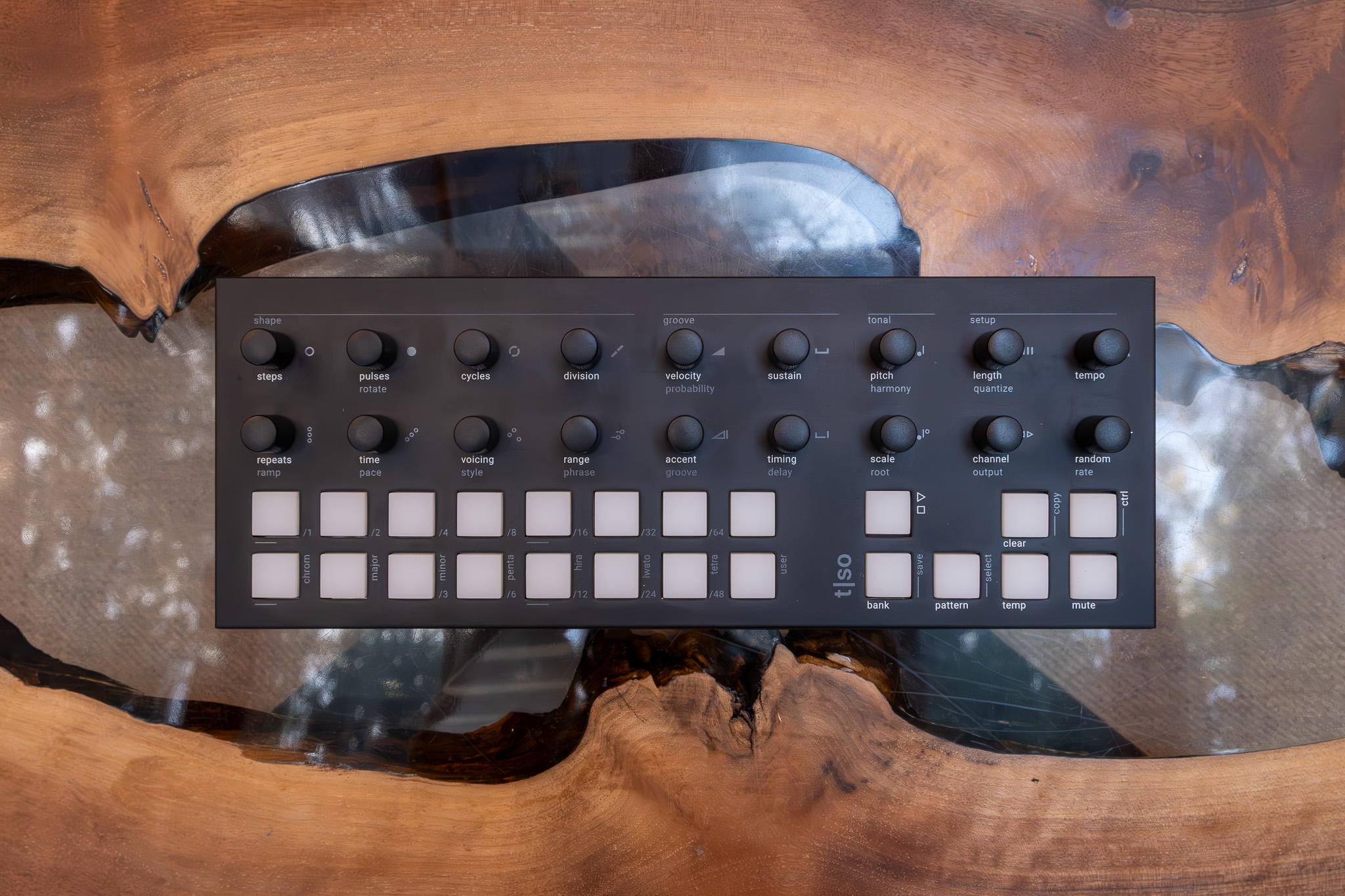
Torso T1 Review

The first time you power it up, there’s an odd sense that you’ve walked into a room where everything is already mid-conversation. No menu tree, no boot logo, no invitation to “create your first project”—just colored pads waiting, encoders under your hands, and a low-key pressure to start turning things and see what happens.
I set it on my desk beside the rest of my gear and felt an immediate shift in posture. This isn’t a sequencer that wants you to plan; it wants you to audition ideas. Over a couple of sessions that stretched from late evening into the next day, the T-1 kept pulling me away from linear “write eight bars, repeat” thinking and toward patterns that evolve, misbehave slightly, then resolve into something usable.
It’s also uncompromising. The T-1 does not generate audio by itself, and it does not explain itself on-screen. If you want a predictable, screen-led workflow, this is not that.
How It Sits in Your Rig
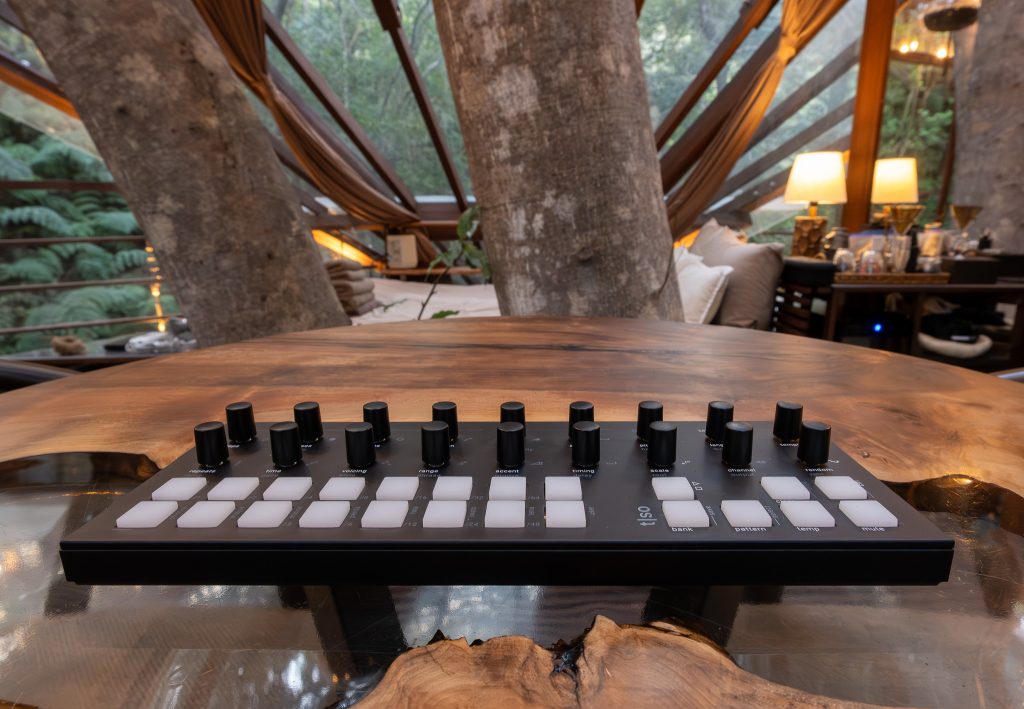
At 304 mm long and 114 mm wide, the T-1 takes up less physical and visual space than its ambitions suggest. It’s slim, too, at 39 mm tall, with a footprint that slides neatly between a keyboard and an audio interface without forcing a desk reshuffle. The listed weight, about 815 grams, matters in practice: light enough to move between a studio table and a performance case, heavy enough that it stays put when you start riding the encoders.
“Access,” in T-1 terms, is about what you can reach quickly. USB-C handles both power and MIDI, so my first setup was almost indecently simple: one cable to a computer and the unit was awake. From there, the ecosystem opens outward. MIDI in, out, and thru sit on 3.5 mm TRS Type A connections, and the included 3.5 mm to MIDI adapter makes it easy to bridge to 5-pin DIN gear without hunting for extras.
By the second session, I was treating it less like a desktop accessory and more like a hub that can sit at the center of multiple routes: computer via USB-MIDI, hardware via TRS MIDI, modular via CV and gate. The location that matters is the one you choose for it.
What This Box Gives You
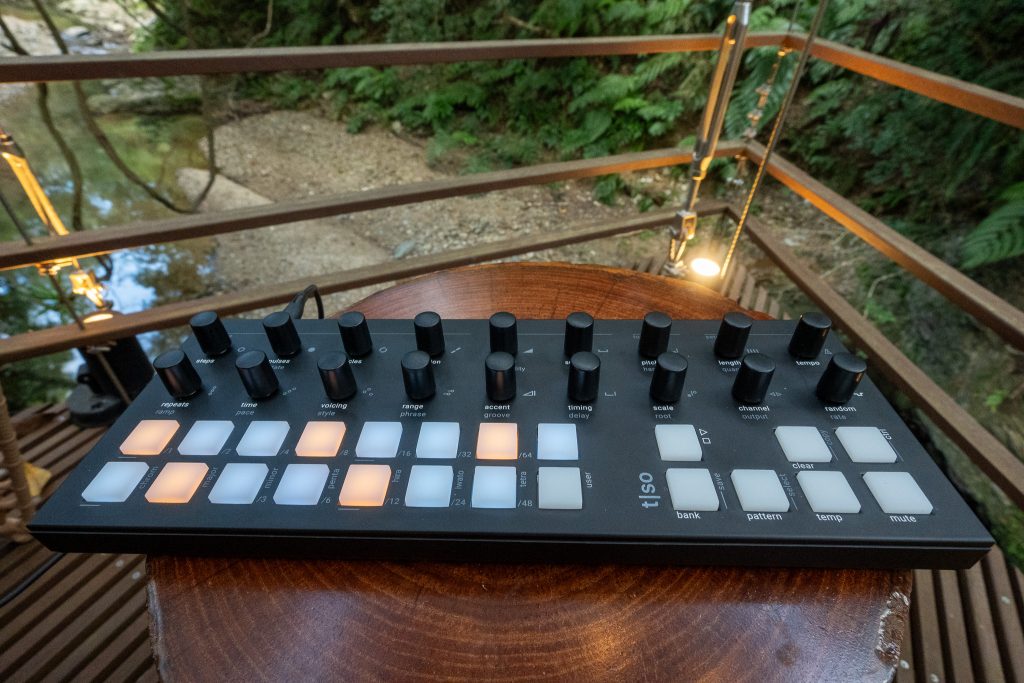
The T-1 is commonly described as a 16-track algorithmic sequencer, and that headline is earned. Each pattern holds 16 tracks, and the machine supports 16 MIDI channels with polyphony on every track. The tracks themselves are configurable in three modes: Note mode, CC mode, and FX mode. In use, that triad is the clearest statement of intent. Notes for composition, CC for control, FX for motion and transformation.
Note mode is where the T-1’s generative identity becomes tangible. Euclidean rhythms are built in, and you can step-edit them, which matters because “generative” only stays musical when you can intervene. The note repeater or arpeggiator is similarly playable: it’s less about turning a function on and more about having a behavior you can steer in real time.
Melody generation sits beside rhythm generation, and the pairing is what makes the T-1 feel like an instrument instead of a grid replacement. Each track offers seven musical scales plus one user-programmable scale, with harmonic pitch control keeping lines inside a chosen logic. Random modulation is available on every parameter, a design choice that can feel either like a gift or a warning depending on your temperament.
On the practical side, the storage system is built for movement: auto-save, 16 patterns per bank, and 16 banks. You don’t “finish” something here so much as you keep a well-organized sketchbook that’s always updating itself.
Sixteen Little Rooms to Wander
If the T-1 has “rooms,” they are its tracks, and there are sixteen of them per pattern. That structure is clean and consistent, which becomes more important as the machine’s behaviors grow more complex. I spent most of my time inside a single pattern, moving track by track the way you move through a small, well-planned hotel: same floorplan, different mood in each space.
My working “category” was a mixed pattern built around Note mode, with several tracks pushing melody and rhythm while other tracks handled supporting roles. The most immediate pleasure was polyphony on every track combined with per-track scale choices. It let me keep harmonic intent intact even while the underlying algorithms introduced variation. I could set a scale, nudge harmonic pitch control, then let the pattern breathe without constantly policing wrong notes.
The friction is what you’d expect from a screenless interface. On the first evening, I kept reaching for confirmation that wasn’t there. Which encoder was I touching, exactly? What parameter was I about to disturb? The RGB pads do provide feedback, and the encoders have push functions that open up secondary actions, but the learning curve is physical memory, not visual reading.
By the next day, that same limitation started to feel like a design edit. The T-1 asks you to listen first, then look for confirmation second.
Feeding the Machine Instead of Programming It
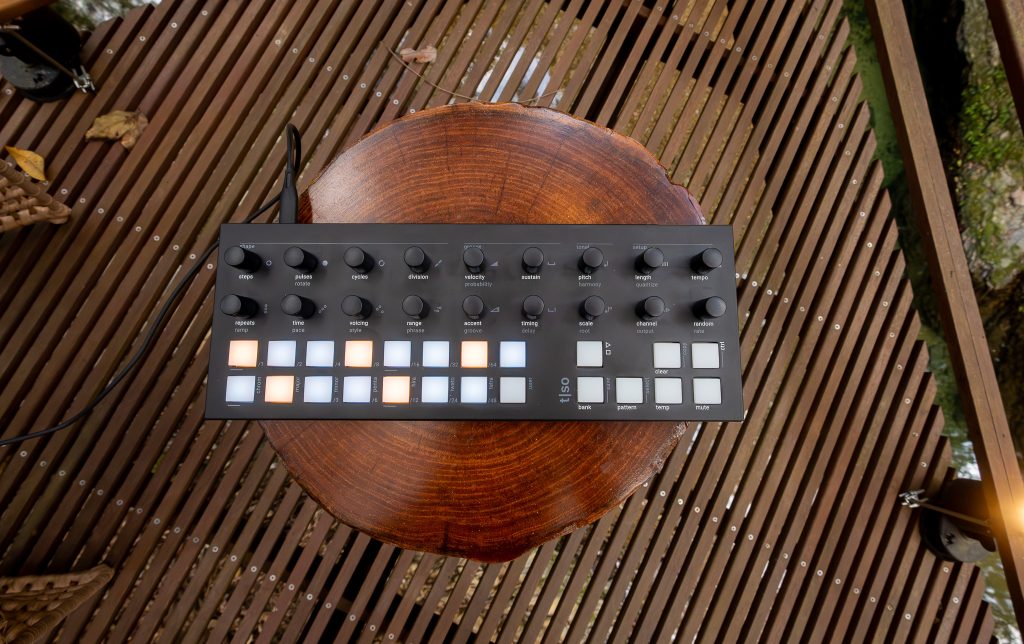
Traditional step sequencing tends to feel like meal prep: portion, measure, repeat. The T-1 behaves more like a kitchen where you’re tasting as you go. You start with an algorithmic premise and then adjust until the output becomes something you’d serve in a track.
My “breakfast” routine with it became simple. I’d pick a track in Note mode, set a Euclidean rhythm as a spine, then use step editing to sharpen the places where the algorithm felt too polite. From there, the melody generator gave me material that was coherent without being static. The most useful moments were rarely big moves. A small turn of an encoder could shift the character of a line enough that the whole pattern felt newly arranged.
The arpeggiator or note repeater function is where the T-1’s live-performance posture comes through. It reads as an advanced utility, but it plays like a gesture: you can ride it in real time, letting it tighten a part into something percussive or open it into something more melodic.
Random modulation is the ingredient that can ruin a dish if you dump it in, and elevate it if you dose it carefully. Early on, I pushed it too hard and got unpredictability that felt more like loss of control than inspiration. After some trial and error, it became a way to animate a pattern without rewriting it. The machine doesn’t reward perfectionism. It rewards attention.
The Object, Up Close
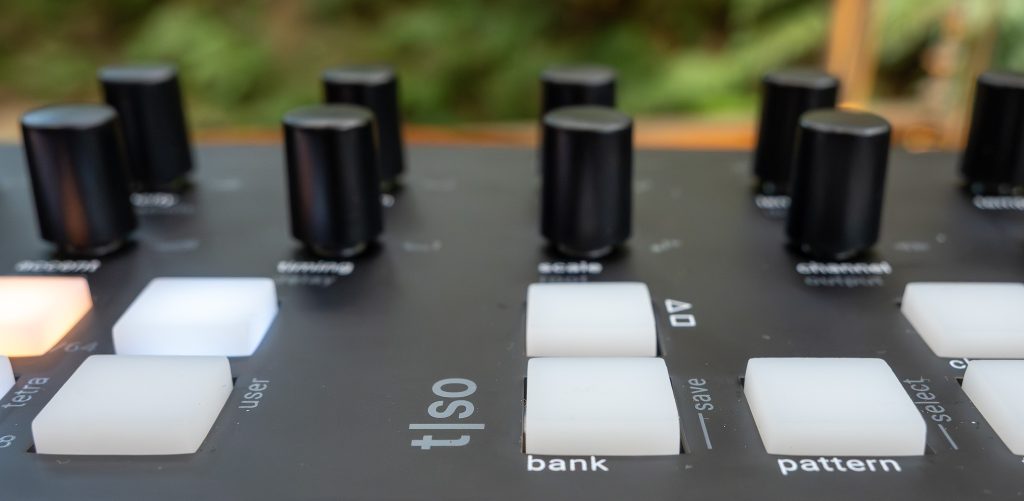
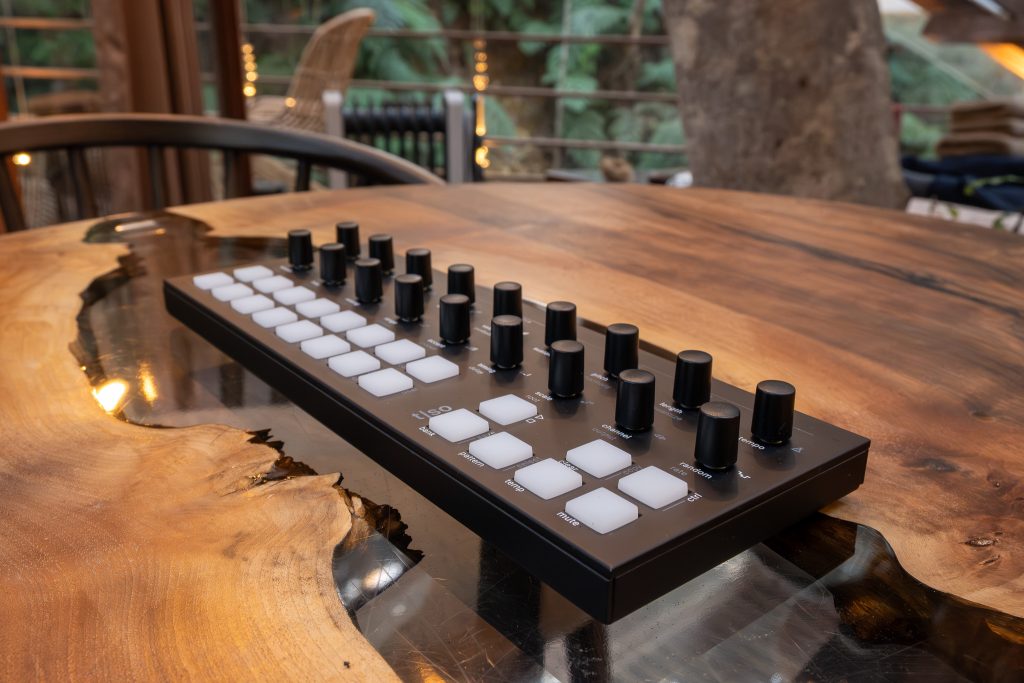
Matte black aluminum can be either anonymous or confident. Here it reads as confident, largely because the finish and proportions feel considered. The enclosure has the kind of restraint I associate with well-edited industrial design: no ornamental lines, no faux ruggedness, no attempt to look “futuristic.” It looks like a tool you keep.
The interface is dense but legible once you accept its vocabulary. Eighteen endless rotary encoders with push function create a broad surface for continuous adjustment, and twenty-three RGB backlit silicone keypads give you a soft counterpoint, both tactile and visual. Those silicone pads matter more than I expected. They absorb some of the aggression that can creep into performance programming, and they make quick changes feel less like typing and more like playing.
The lack of a screen is the defining architectural choice. It constrains you, then it frees you, in that order. In bright daylight, the RGB feedback is clear and the physical layout does the rest. Later, with the room dimmed, the keypads become the primary landmarks and the encoders become muscle memory.
There is also a limited-edition “Vintage White” version in a restricted run, with a cream-white enclosure and custom gray knobs. I haven’t lived with that variant, but I understand why it exists. The T-1 is already treated like an object, not just a box of functions.
Learning Its Hospitality
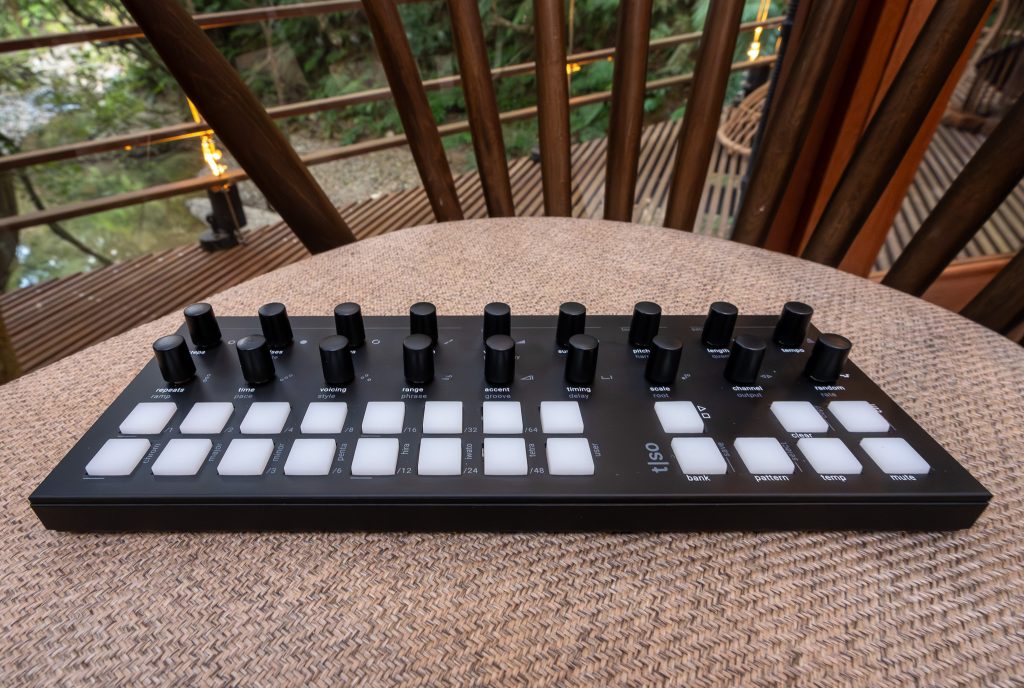
A device like this either supports your attention or fractures it. The T-1’s idea of “hospitality” is built into how it saves, recalls, and lets you move around without ceremony. Auto-save is part of that philosophy. I didn’t have to stop to preserve work, which kept sessions flowing and made experimentation feel safe. Switching patterns within a bank also encouraged a useful kind of non-attachment. If an idea turned sour, I could step sideways into another pattern and come back later.
The flip side is guidance. Without a screen, the T-1 teaches through consequence. The first time I tried to set up multiple tracks across multiple MIDI channels, I had a brief stretch of confusion where everything felt one step removed from my intent. Nothing was broken. I just wasn’t fluent yet. I ended up consulting the manual to clarify track modes and scale settings, especially around the user-programmable scale.
Parameter behavior can also surprise you. Small changes sometimes have outsized effects, and in the moment it can feel like the machine is contradicting you. After more time, I started to recognize that the T-1 is consistent within its own algorithmic logic. The learning curve is real, but it’s the kind that pays you back in speed once your hands know where to go.
Who It’s Built For
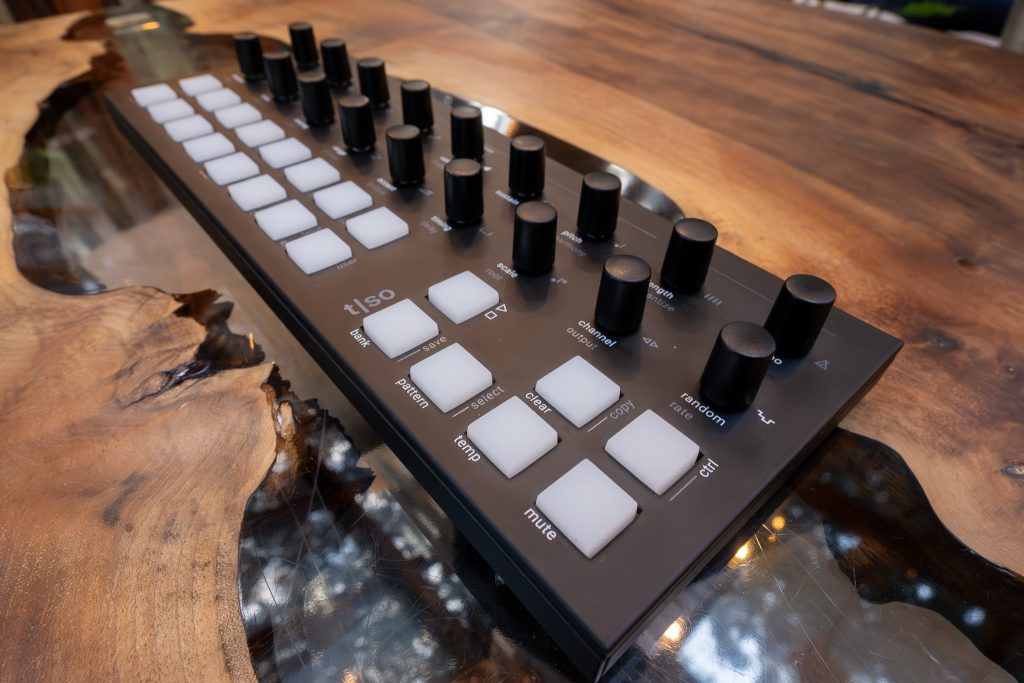
Value, here, is less about a bargain and more about design integrity. The T-1 pairs serious connectivity with an interface that is intentionally physical. USB-C provides MIDI and power, so it can live comfortably with a computer. TRS Type A MIDI in, out, and thru allow it to sit among hardware without drama, using the included adapter when you need to bridge to 5-pin DIN. Ableton Link over Wi‑Fi adds another synchronization path that fits modern hybrid rigs.
Then there’s the modular-facing side: CV and gate input and output connections, clock and reset inputs and outputs on 3.5 mm jacks, a CV modulation input on 3.5 mm, plus eight CV outputs and eight gate outputs. That is not a token gesture. It reads as a commitment to being a control center across ecosystems.
The question is whether you want what it’s selling. If you’re drawn to evolving patterns, algorithmic composition, Euclidean rhythm structures, and controlled randomness, the T-1 fits. If your work depends on traditional linear sequencing, screen-based certainty, or painstaking visual editing, you may find the design more withholding than elegant.
One more practical boundary: it does not generate audio by itself. You need sound sources. Think of it as choreography, not a dancer.
Final Take
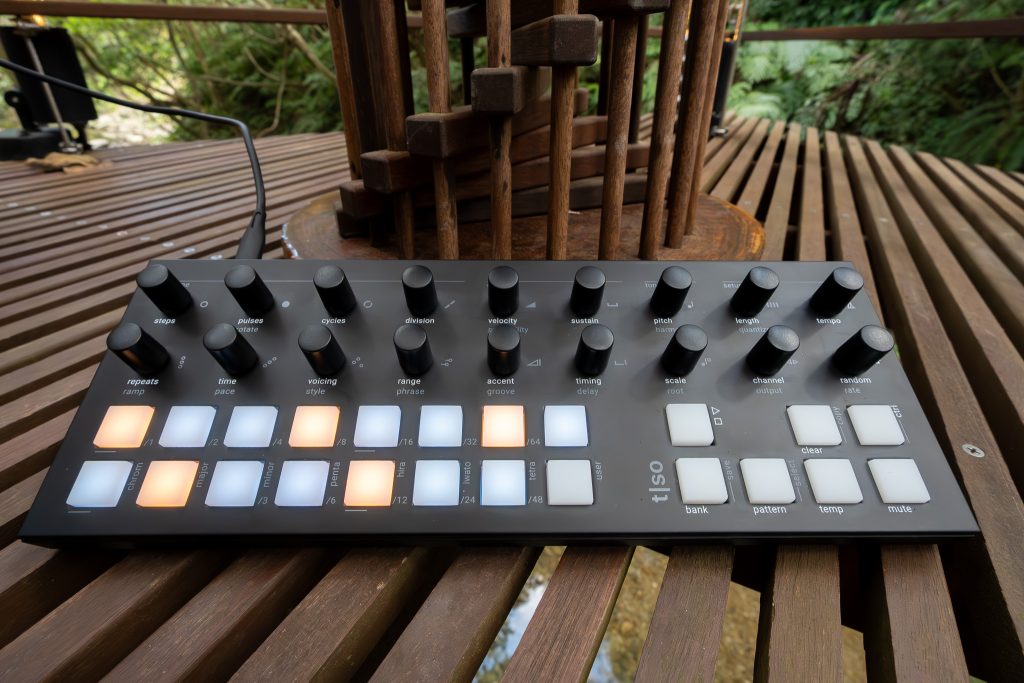
After living with the Torso T-1 across a couple of long sessions, what stays with me is not a single feature. It’s the machine’s posture. It treats sequencing as an act you perform with your hands, not an arrangement you draft in a spreadsheet. The matte black aluminum casing and the dense, tactile front panel support that idea. The 18 endless encoders and 23 RGB silicone keypads create a surface you can learn like an instrument, and the screenless design forces you to listen to cause and effect instead of reading your way to certainty.
The sequencing engine is deep in ways that matter: 16 tracks per pattern, 16 MIDI channels, polyphony on every track, Euclidean rhythms with step editing, an advanced note repeater or arpeggiator, melody generation, per-track scales with a user-programmable option, harmonic pitch control, and random modulation on every parameter. Add the connectivity, from USB-C MIDI and TRS MIDI to extensive CV and gate plus clock and reset, and it’s built to sit at the center of a serious rig.
Buy it if you want generative composition with hands-on control and you’re comfortable learning by doing. Skip it if you need a screen, predictability as a default, or any kind of onboard sound. The moment I remember most clearly is simple: one encoder turn, one small color shift on the pads, and an entire pattern suddenly leaning into a new mood, as if the room had changed lighting.