








Teenage Engineering OP-XY Review

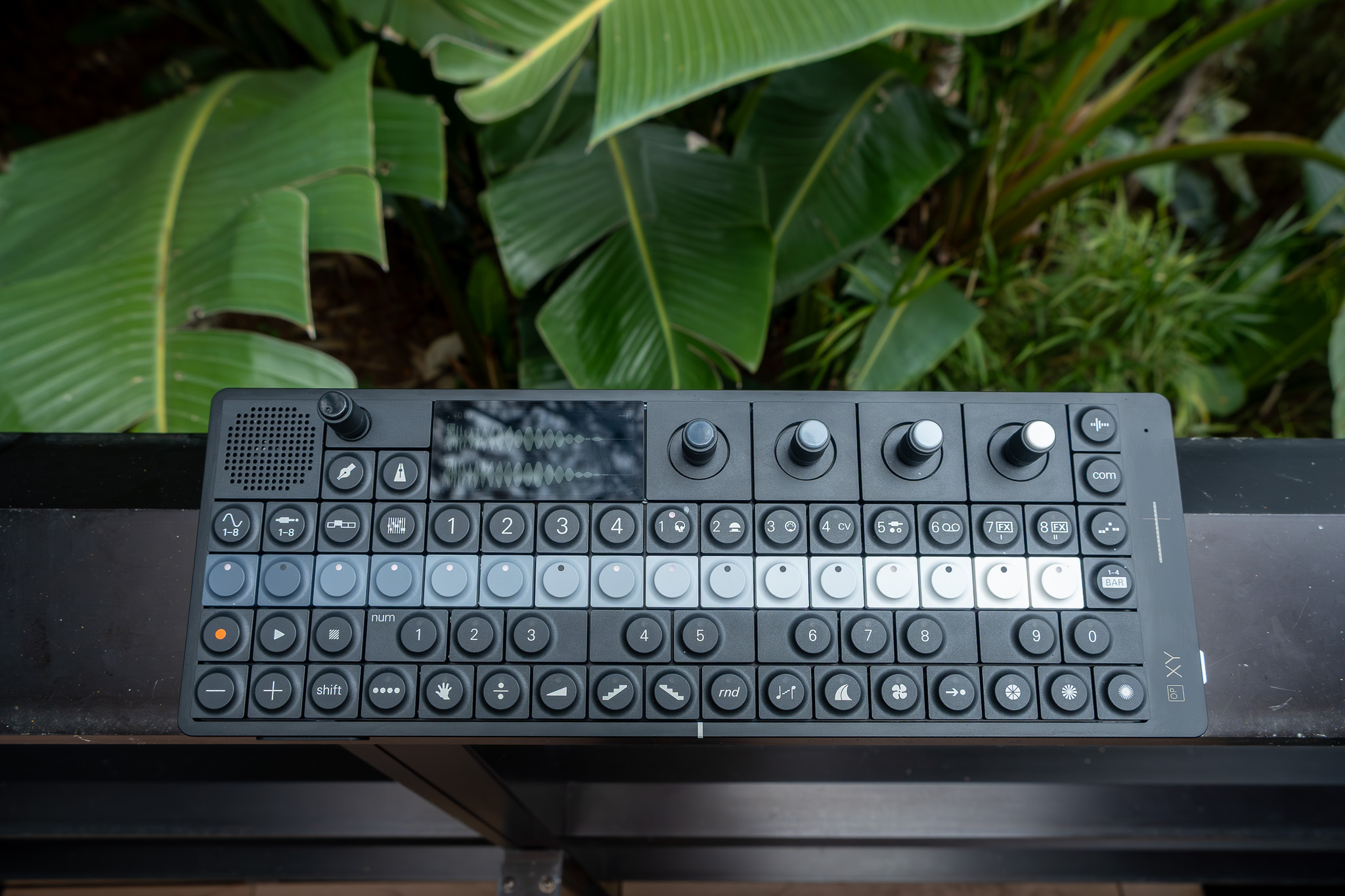
You don’t ease into the OP–XY; it lands. A small slab of matte black metal, heavier than it looks, with buttons that feel like they should belong to something mission‑critical rather than something musical. Before I knew the engines, the routing, or the quirks, I just sat there clicking through those 68 switches, watching patterns bloom across the display and listening to the thing come alive.
Teenage Engineering frames the OP–XY as a “precision tool,” and in hardware terms that claim mostly holds up. The more complicated question is whether the workflow and firmware maturity deliver the same confidence. Right now, it’s a capable step-sequencing synthesizer and sampler with a distinctive, fast visual language, paired with reliability quirks that matter depending on how you work.
Where It Lands in a Portable Rig
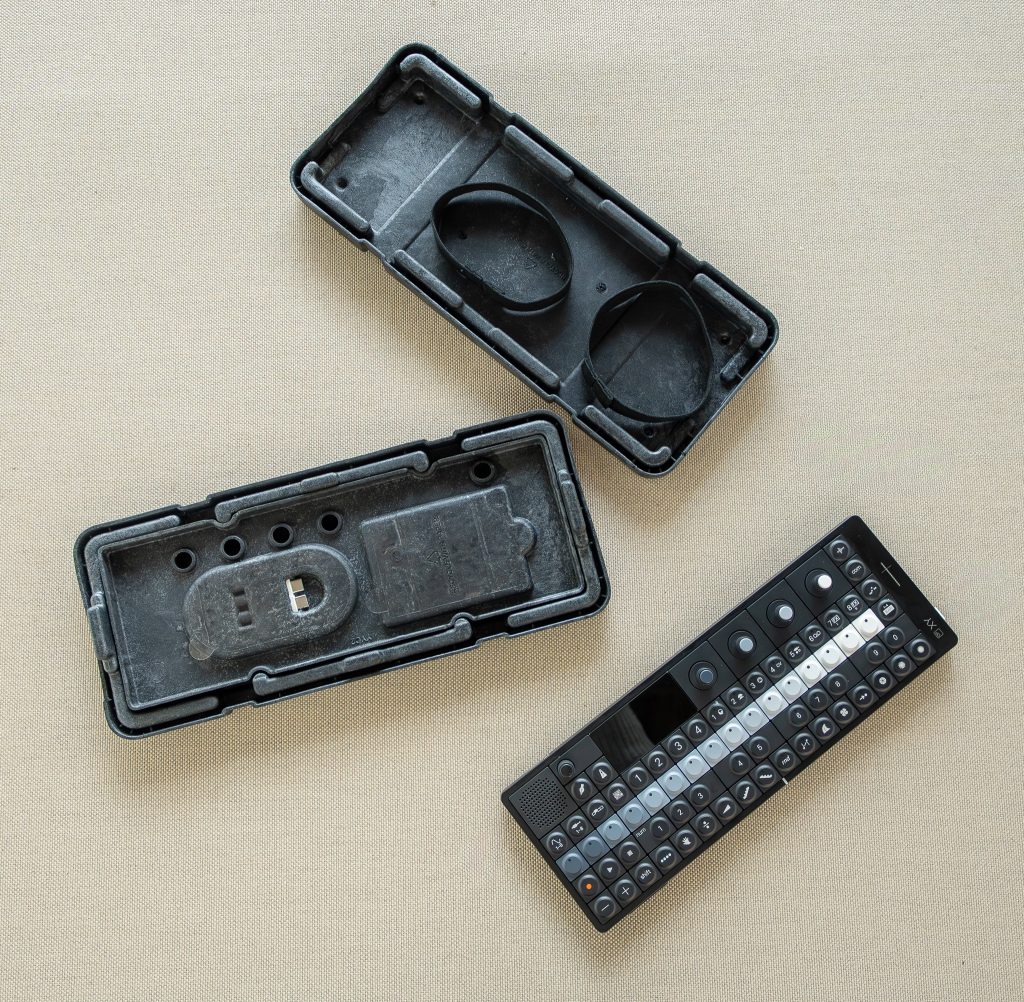
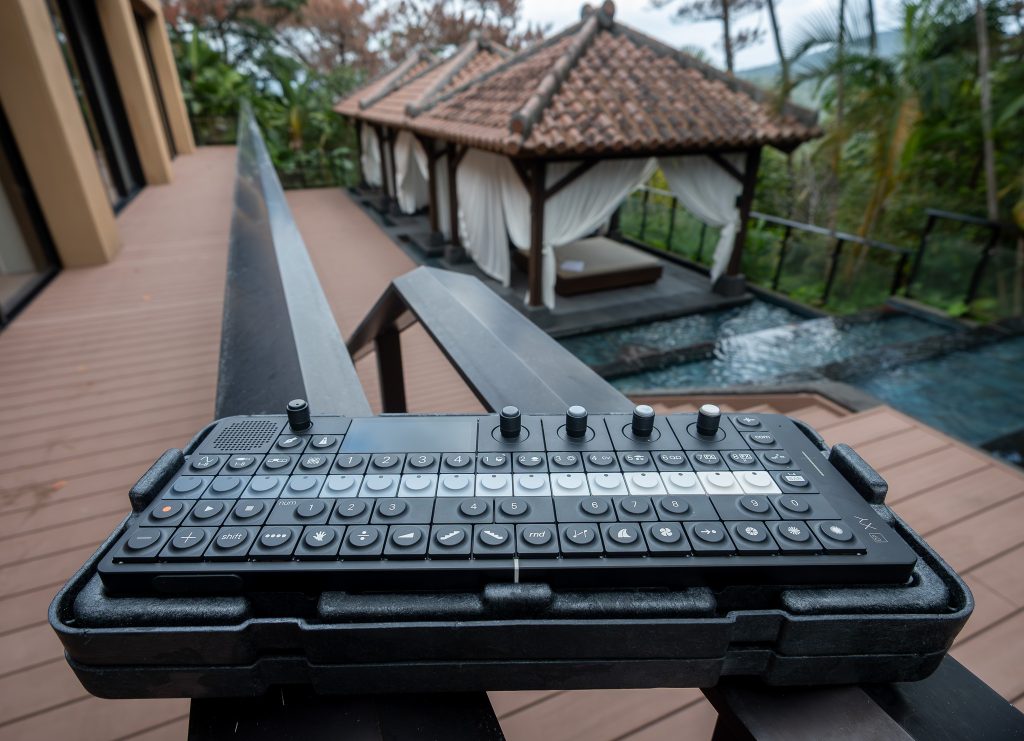
The OP–XY makes sense the moment you put it down where you actually make music. It’s compact enough to live on a desk without taking over the space, yet substantial in a way that discourages treating it like a throwaway gadget. A retailer lists it at roughly 288 × 102 × 29 mm and about 900 g, and that density changes how you use it. I found myself leaving it out, not packing it away, because it doesn’t feel fragile or fussy.
Positioning-wise, it reads like an evolution of the OP–Z concept: portable, pattern-forward, and designed for building tracks as sequences rather than “recording” them in a traditional sense. That’s the right comparison in spirit. It’s also a device you can treat as self-contained. Built‑in sampling via microphone, onboard effects, and a speaker system mean you can sketch without involving anything else.
Power is straightforward: USB‑C, and Teenage Engineering is explicit that it should be 5 V USB power only. I charged it from a standard 5 V source and moved on.
Black Aluminium, Real Buttons
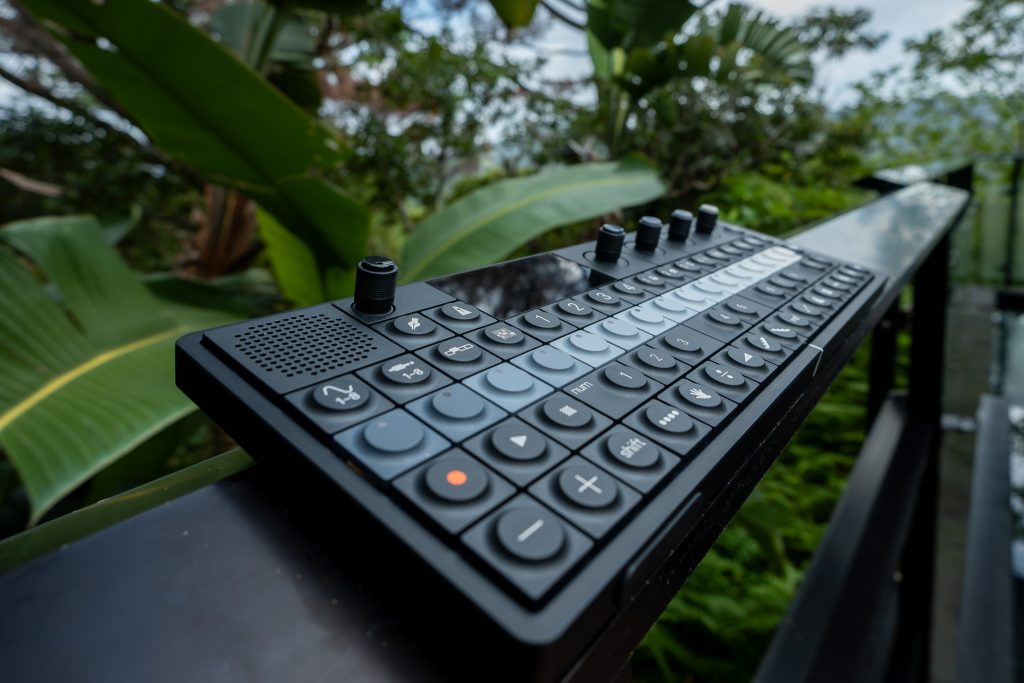
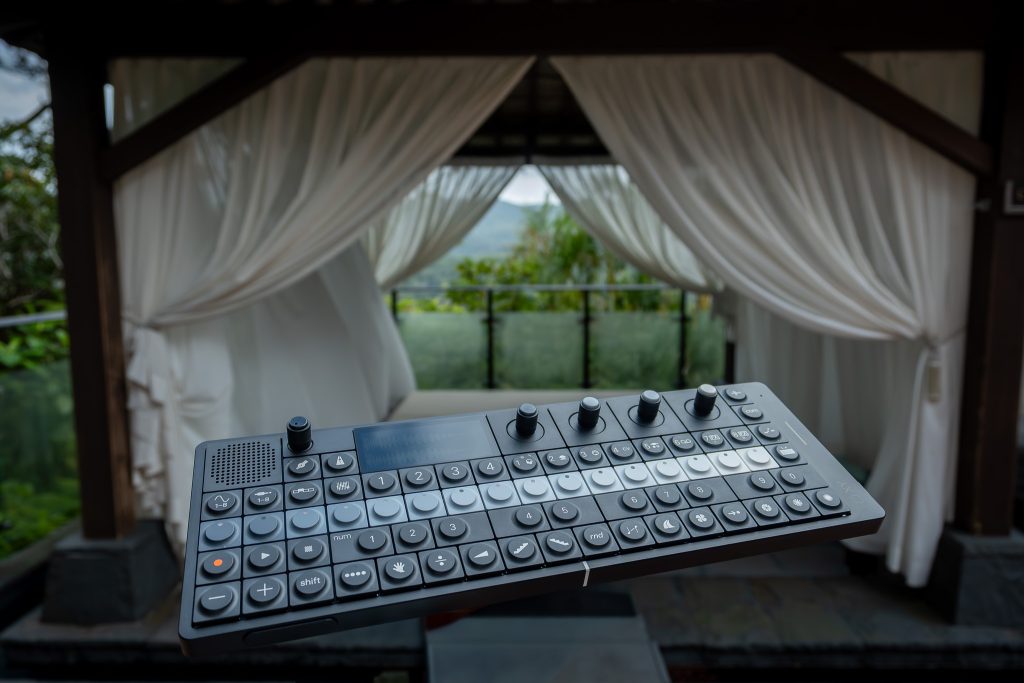
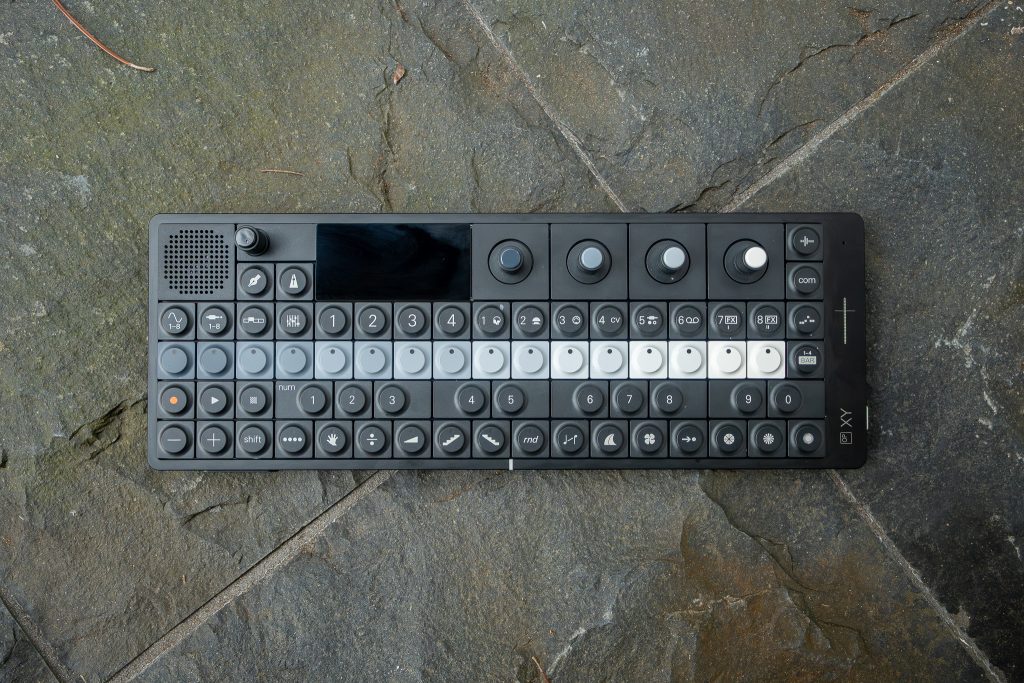
As a piece of industrial design, the OP–XY is resolved. The anodized matte black aluminium housing looks serious and stays visually quiet, even with the screen lit. In hand it feels solid and premium, the kind of dense, single-object build you expect when a brand calls something a precision tool.
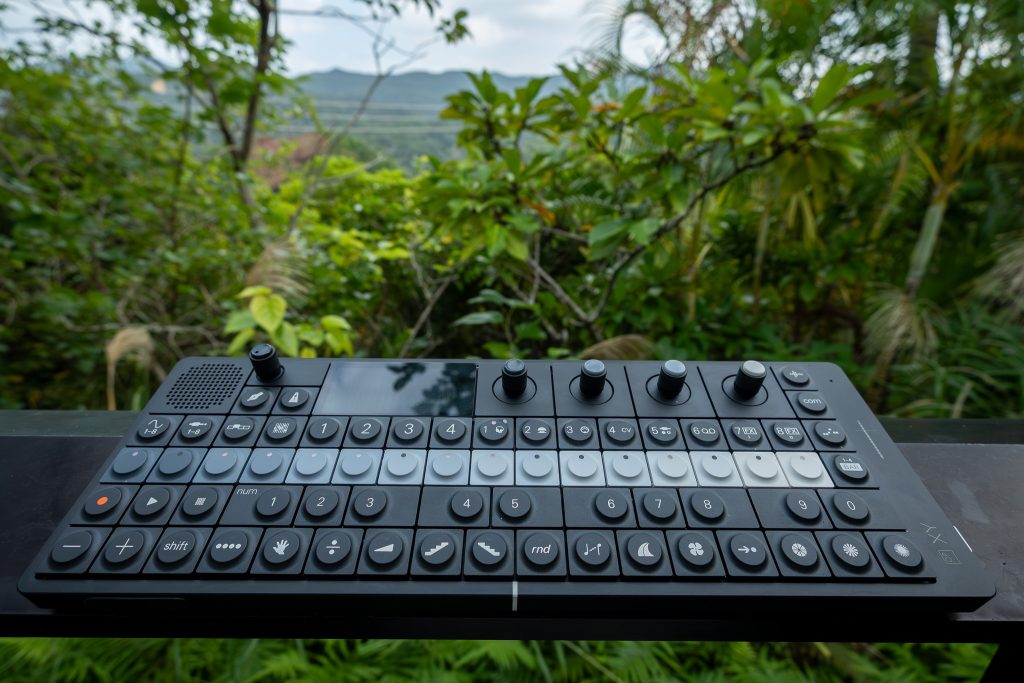
The tactile interface is the point. The 2‑octave keyboard is there when you want to play, but the main event is the button grid and encoders. Those 68 low-profile mechanical buttons are clicky and responsive in a way that supports rhythm programming. You can move quickly without second‑guessing whether a press registered. The four multi‑purpose grayscale encoders give you the opposite sensation: less click, more controlled rotation, good for parameter work when you’re shaping a sound or setting up a sequence.
There’s also a pressure‑sensitive pitch bend control on the bottom left, exactly where your hand expects it to be. It’s an expressive control, but it demands a more careful touch than a traditional wheel. Given the broader conversation around pitch bend stability on this device, it’s the part I watched most closely while working.
Build quality feels premium. The OP–XY is a product where I’d inspect mechanical tolerances early and without sentimentality.
Eight Lanes, One Sequencing Brain
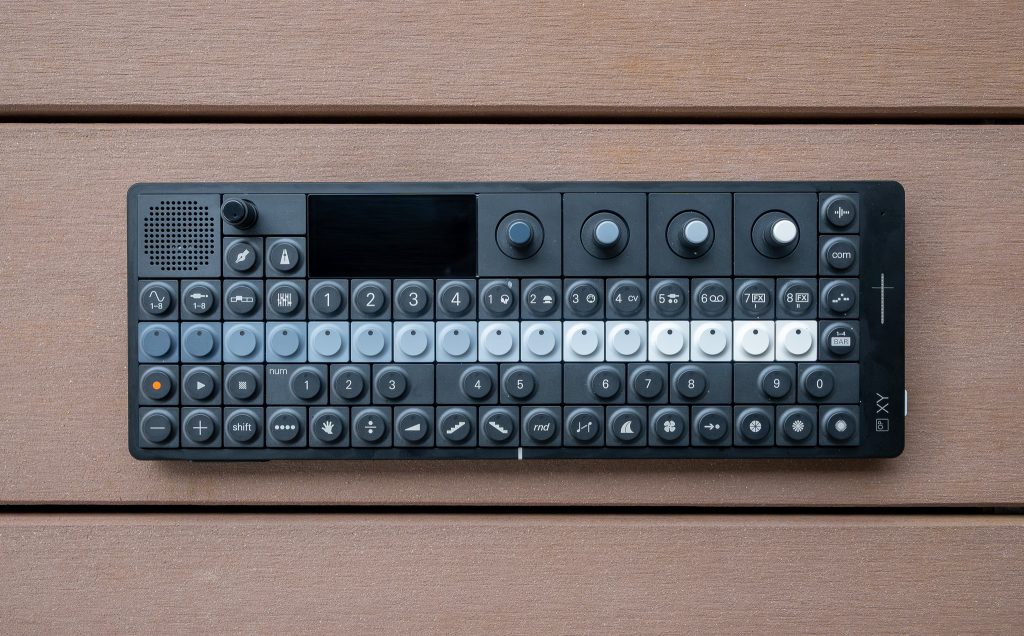
The OP–XY’s core architecture is clear and functional: 8 individually sequenceable instrument tracks, each with independent send levels. That sounds tidy on paper, and in use it’s even better because it keeps you composing in lanes. I built a simple groove by dedicating tracks to a handful of roles and letting the sequencer do the heavy lifting rather than trying to “perform” everything in real time.
Sound generation is split between 8 synth engines and 3 samplers. I’m not going to pretend it feels like a conventional workstation. It feels like a Teenage Engineering instrument: playful on the surface, but capable when you lean in. The workflow gets powerful once you start treating steps as more than on and off. The OP–XY offers 14 unique step components for advanced sequencing, and the headline detail is that you can apply up to all 14 to every step. That’s not a gimmick. It’s how patterns start to breathe.
Pattern structure is generous. Each track can hold 9 patterns, and each pattern can run up to 64 bars across 4 pages. I kept building “too long” simply because it was easy to do.
Sampling That Pushes Ideas Forward
Sampling is where the OP–XY shifts from “sequencer with sounds” to something you can finish ideas on. Immediate, high-quality sampling via the built‑in microphone is real. I grabbed quick hits straight from the room, then sampled again through the stereo line‑in when I wanted a cleaner capture. Being able to sample from both the mic and the audio‑in keeps the device flexible without turning setup into a project.
Playback on the built‑in speaker system is more than a courtesy. Teenage Engineering describes four speaker elements and a bass reflex duct that create a room‑filling stereo field with deep, natural bass. In practice, it’s good enough to judge whether a pattern has weight and balance before you bother connecting headphones or monitors. Late in the evening, I used the speaker to iterate quickly, then moved to headphones through the 3.5 mm stereo line‑out when I wanted to listen closer.
Effects are built in and musically chosen: reverb, delay, chorus, distortion, lofi, and phaser. They’re not presented like studio plug-ins. They’re there to push an idea into a mood fast. Add the device’s geometric graphics and punch‑in visuals, and it’s clearly designed with performance in mind, not just composition.
Ports, Wireless, and the Hub Ambition
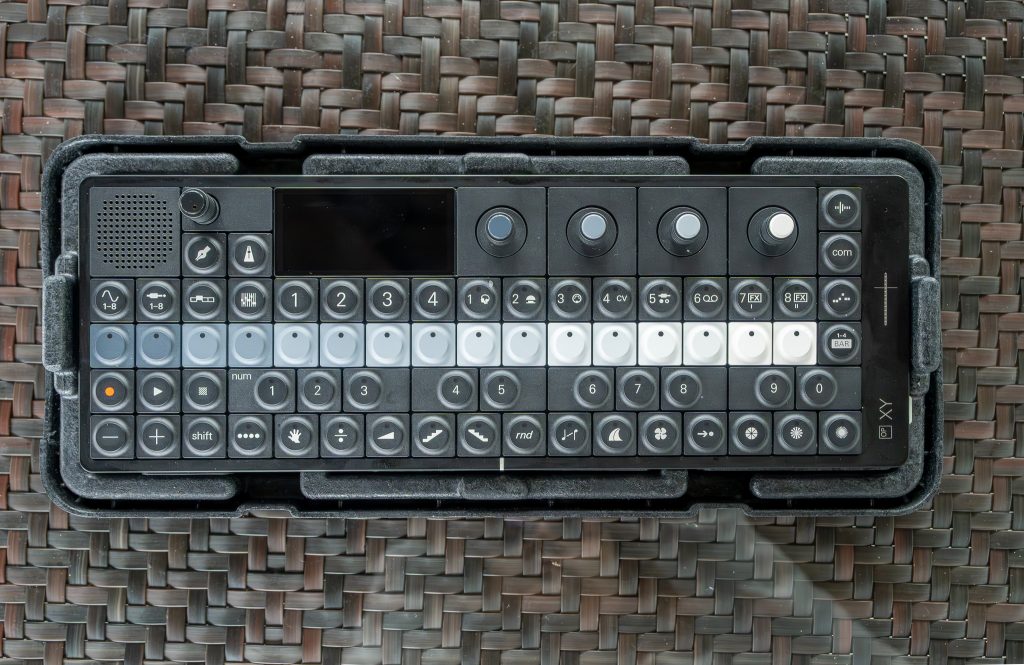
On the right side, the OP–XY’s I/O cluster signals intent. It’s meant to connect outward: amplifiers, speakers, headphones, pedals, synthesizers, drum machines, even Eurorack systems. The ports are all 3.5 mm, including stereo line‑in, stereo line‑out with headset microphone support, a multi‑out, and a MIDI‑in connector.
USB‑C is where integration becomes practical. The OP–XY supports USB MIDI in both host and device modes, and it also supports USB audio in both host and device modes. That matters because it lets the device sit in different roles without forcing you into a single “correct” setup. One session, I treated it as the center: a sequencer that could also operate as a MIDI controller for an external system. Another time, I kept it simpler and used it as its own instrument, with USB‑C only for power and occasional connection.
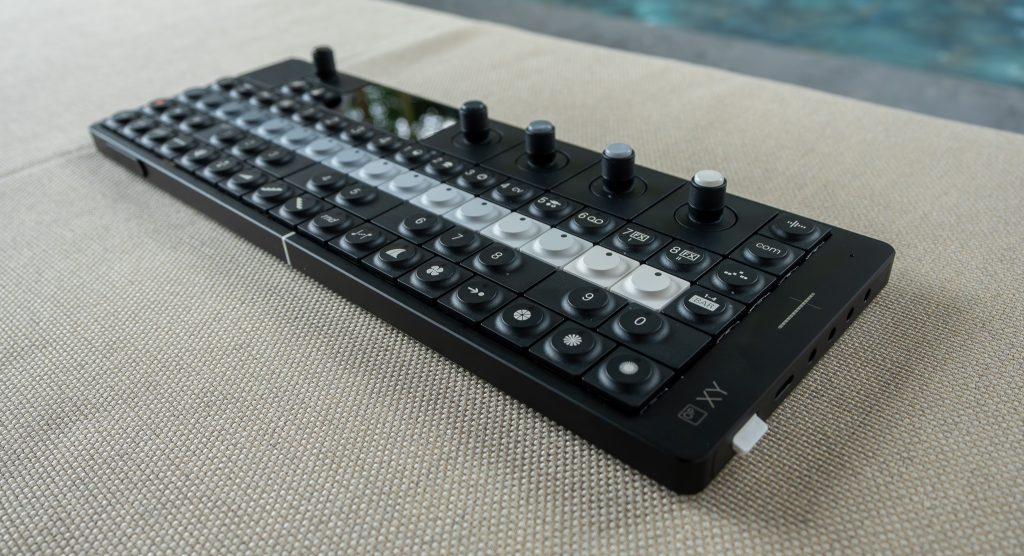
Wireless is built in too. Bluetooth LE supports low‑latency wireless MIDI, and the OP–XY can send and receive MIDI that way. The user guide also makes clear it can act as a generic MIDI controller over both USB and Bluetooth, using its keyboard and encoders to send MIDI messages. When it works cleanly, it’s the kind of flexibility that makes you reach for it more often.
Firmware, Meet Reality
A precision tool has to be reliable. This is the section where the OP–XY’s positioning gets tested hardest.
In day-to-day use, I ran into two issues that affect confidence. First, boot time. It’s not always snappy, and when you’re grabbing a quick idea, a slow start breaks momentum in a way the best portable instruments avoid. Second, MIDI behavior. In my setup, MIDI output did not always behave consistently, which is the sort of problem that turns a “hub” into a question mark.
The bigger context is that the OP–XY’s operating system has had bugs tied to boot time, MIDI output behavior, and pitch bend stability, and the device has received several firmware updates since release. Teenage Engineering also states the OP–XY will receive free firmware updates, which is necessary here, not optional. The hardware platform suggests headroom, too: dual Blackfin processing cores, dual DDR memory, and a triple‑core DSP co‑processor, plus controller MCUs handling wireless and low‑power I/O.
Right now, I’d call the OP–XY functional but still maturing. If your workflow depends on stable MIDI and predictable startup every time, wait for firmware confidence, not promises.
Learning Its Grammar
The OP–XY is fast once you know it, and resistant when you don’t. The visual interface is central: a 480 × 222 pixel IPS TFT display that supports the device’s step-sequencing logic rather than trying to mimic a computer. That’s a strength, but it comes with an acclimation period.
My first hour was productive, but not efficient. I could get inspiring patterns quickly, yet I also hit the familiar Teenage Engineering sensation of having the right tool in hand while still needing to learn its grammar. Instrument mode helps by making the 8 track buttons directly control and edit the 8 instrument tracks, which keeps navigation from spiraling. Pattern presets per pattern also encourage repeatable setups once you find a sound and sequencing approach you like.
The Brain chord progression function is another example of what makes this device divisive. It’s designed for intuitive chord playback, and it pushes you toward harmony quickly. If you come from more traditional gear and want everything to behave like a conventional workstation, this can feel quirky. If you accept that the OP–XY is designed to encourage low-pressure experimentation, the same quirk becomes momentum.
It’s a playful instrument with serious capacity. That tension is the point.
Paying for the Precision Myth
I’m not evaluating the OP–XY as a bargain portable groovebox. It isn’t positioned that way. Teenage Engineering’s design-led approach, the aluminium chassis, the tactile mechanical interface, and the internal architecture all signal a premium object intended to be used and carried, not babied.
The value question comes down to whether you need the OP–XY’s combination: 8 tracks, deep step components, multiple synth engines and samplers, built‑in sampling via mic and line‑in, and connectivity that spans USB‑C host and device modes, USB audio, and Bluetooth LE MIDI. If those elements align with how you make music, it delivers a lot in a compact, coherent package.
If you’re buying it primarily as a reliable control hub, the current firmware reality complicates the purchase. Slow boots and inconsistent MIDI output are not philosophical issues. They are operational. Buyers who can treat the OP–XY as a standalone pattern machine, sampling sketchpad, and performance instrument will be more forgiving. Anyone who needs “turn it on, it works” every time should hold off until the software feels settled.
Verdict on a Restless Machine
The OP–XY is, first and foremost, a tactile device. Matte black aluminium, dense in the hand, and built around buttons and encoders that invite speed. In that respect, Teenage Engineering’s precision-tool claim is credible. The sequencing core is also strong: 8 tracks, 8 synth engines, 3 samplers, deep step components, and a pattern structure that supports long-form ideas without making you feel trapped in arrangement mode.
Where the promise wobbles is reliability. In my use, slow boot behavior and inconsistent MIDI output were the two frictions that changed how I trusted it, especially when trying to integrate it as a hub. Free firmware updates help, and the update cadence since release suggests the company intends to keep pushing. That leaves you living with the current state, not the future one.
Buy the OP–XY if you want a portable sequencer-synth that encourages experimentation and rewards time spent learning its logic. Skip it, at least for now, if your setup depends on predictable MIDI behavior and fast, dependable startup. My lasting impression is simple: every time I heard those buttons click under my fingertips, I wanted to keep building. I just wanted the software to keep up.