










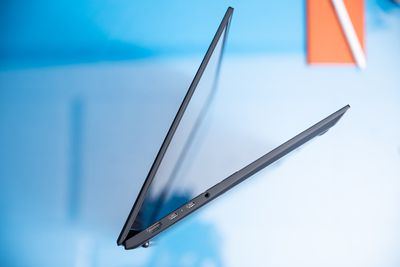
LG Gram Pro 17 review: a Gram with more gusto

The way LG has been treating its Gram line recently takes the word “expansion” to a new level. On one end of the spectrum, we have the LG Gram Style, an ultrathin and ultralight product that puts portability above all else. On the other, we have the LG Gram Pro, which is more focused on power and performance than LG has offered in a good while.
The 17-inch 3.2-pound $1,799.99-and-up (retail, though often discounted) Gram Pro does not necessarily look or feel much different than the regular LG Gram 17 that I’ve reviewed approximately 7,000 times. It is slightly (slightly) heavier than last year’s 2.98-pound model, but it offers the same black and unobtrusive chassis, the same clicky keyboard with a numpad, and the same enormous touchpad. The big difference is that the LG Gram Pro comes with a discrete Nvidia GPU — in our test model, a last-generation RTX 3050.
Does this make the Gram Pro a gaming laptop? Absolutely the heck not. However, it offers (in exchange for some of the battery life and efficiency benefits that you would usually expect from the Gram line) the most raw graphic power that you will find in a laptop of this size and weight.
How big is the market for something like that? Honestly, I don’t know. The pitch for the regular Gram 17 (or for something like the Style) tends to be: “It lasts forever and weighs nothing, so you can bring it everywhere you go.” The pitch for the Gram Pro is, instead: “That, but with a discrete GPU, so you can still bring it places but not for quite as long.” I’m happy that LG has made something like this to show off what can be done, but I’m more excited about it as a concept than as something I think you should go out and buy.
(Quick aside: this laptop, as far as I’ve been able to find, is actually just called the LG Gram 17 in all of its online listings. LG’s marketing team, however, has consistently referred to the device as the “LG Gram Pro,” presumably to help differentiate it from 17-inch models that lack an RTX GPU. I’m calling it the Gram Pro here, but its exterior is functionally identical to that of the regular Gram 17.)

It’s a bit difficult to contextualize any numbers we might get out of the Gram Pro because it doesn’t have a ton of competition. There are very few non-gaming 17-inchers out there with discrete GPUs and none that are this light; we can look to models like the Dell XPS 17 and the MacBook Air 16, but they are much further into the workstation category and in a different league on price. A comparable XPS 17 would be a few hundred bucks more than this $2,299 test unit; a MacBook Pro 16 specced similarly would be well over $3,000. Given how absurdly light the Gram Pro is (3.02 pounds is lighter than almost all RTX devices out there of any size — let alone 17-inch peers), my bar for giving its performance a passing grade is, in very scientific terms: is it not a potato? Folks, it is not a potato. It’s not a standout graphic performer (especially compared to the 16-inch MacBook Pro or, like, a gaming laptop), but it has some chops. Here are the results I saw. My test unit (currently discounted to $2,099; Best Buy has RTX models marked down to as low as $1,599.99) has a Core i7-1360P, 32GB of RAM, and 2TB of storage in addition to the RTX 3050 with 4GB of VRAM. There’s a clear delta in graphic performance between this and the Dell XPS 17 with an RTX 3060 that I previously reviewed. That system was close to two minutes faster on our export test (and Premiere Pro, as a program, has gotten faster at doing it since we tested the XPS) and managed a 70 percent higher 75fps on Tomb Raider. That’s not even to talk of the 16-inch MacBook Pro with M2 Max, which is even further ahead on the graphics front. Again, these aren’t strictly comparable products — this is all just to illustrate how much more power is available from going a step up on Nvidia’s ladder. There are a couple other things to know here. First, this is something you may not want to use on your lap all the time; the bottom was toasty as I was going about my regular (15 to 20ish tabs) Chrome workload on power. Fans were consistently audible during this time as well, though you can bump them down to low mode in LG’s Smart Assistant software to mitigate this. Finally, on the battery life, I averaged just over eight hours. Now, in today’s Intel landscape, this is actually a great score. I’m so accustomed to testing giant machines that die after less than half a day that this lifespan felt like a luxury. I got this same result from the smaller OLED LG Gram Style, and I praised it as a win. Nevertheless, the Gram Pro has both a much larger battery and a much lower-resolution screen than its 16-inch sibling. Battery life has been the LG Gram 17’s thing for the past few years, and I consistently saw over 12 hours out of last year’s non-Pro model. These are just illustrations of how much efficiency the Gram Pro gives up in favor of a power-hungry RTX GPU. If you’re familiar with the LG Gram 17 line, you can skim this section because a lot is the same. For others, here are a few things to call out: If LG had managed to cram, say, an RTX 3070 into this Gram Pro, the target audience would be obvious: the mobile creator. The people who want to render on planes or edit in coffee shops and don’t want to lug around a four-pound MacBook Pro 16 (or shell out the money for one). This is a substantial crowd — I hear from them all the time. With an RTX 3050, which is really just a step above Intel’s current integrated graphics offerings, the perfect buyer is harder to pinpoint. Someone who really wants to play League of Legends on a giant screen but not really any modern games? Folks with some kind of GPU load at work (but not a heavy one) who need to carry their laptop to and from the office and don’t have access to an external monitor? I don’t know, maybe those are the two groups. But for pretty much everyone else, I see a regular non-GPU LG Gram (or a Style, if LG ever manages to fix the touchpad) as a better purchase. You’ll get a lower price, better battery life, and an even lighter device.