








Intuitive Instruments Exquis Review

The first few minutes with Exquis feel less like testing a MIDI controller and more like sitting down with a strange, glowing artifact. Sixty-one hexagons pulse under your fingers, your usual piano reflexes suddenly useless, and you realize you’re not just adding a new piece of gear. You’re trying on a new way of organizing sound. It’s Intuitive Instruments’ idea of an “intuitive and expressive” MPE controller, and it’s opinionated in the way good tools often are. You don’t slide into it the way you do with a piano-style MIDI keyboard. You arrive, you look around, you recalibrate.
Over a couple of evenings of writing and a morning session with coffee, I kept coming back to the same conclusion: Exquis is less about playing faster and more about thinking differently. When the layout clicks, harmony feels organized and ergonomic. When it doesn’t, you feel the distance between muscle memory and intention. The hardware can be lovely in the hand, though it’s also the kind of product where consistency has been questioned, and you notice that risk in the small details.
On the Desk, In the Bag, In Reach
 Exquis lands in that sweet spot where it feels substantial without taking over your workspace. It’s roughly 317 mm x 146 mm x 36 mm, and at around 1 kg it has enough weight to stay put when you’re digging in, but it’s still easy to move between a desk and a shelf without thinking about it. I had it living in front of my laptop, then slid it to the side when I needed space, then pulled it back like a cutting board you keep reaching for.
Mine arrived as the “Pure” hardware unit with a 1 m USB‑C to USB‑A cable and two 5‑pin MIDI DIN to 3.5 mm minijack adapter cables. That’s a practical box. It gets you powered and connected fast, and it also makes clear what Exquis is: a controller that assumes you’ll work across computers and external gear. USB‑C handles power and MIDI data, plus a proprietary protocol that matters once you step into the companion app workflow.
There’s also a “deluxe” version described with wooden side profiles. Same core controller, different garnish.
The Hex Grid That Rewires Harmony
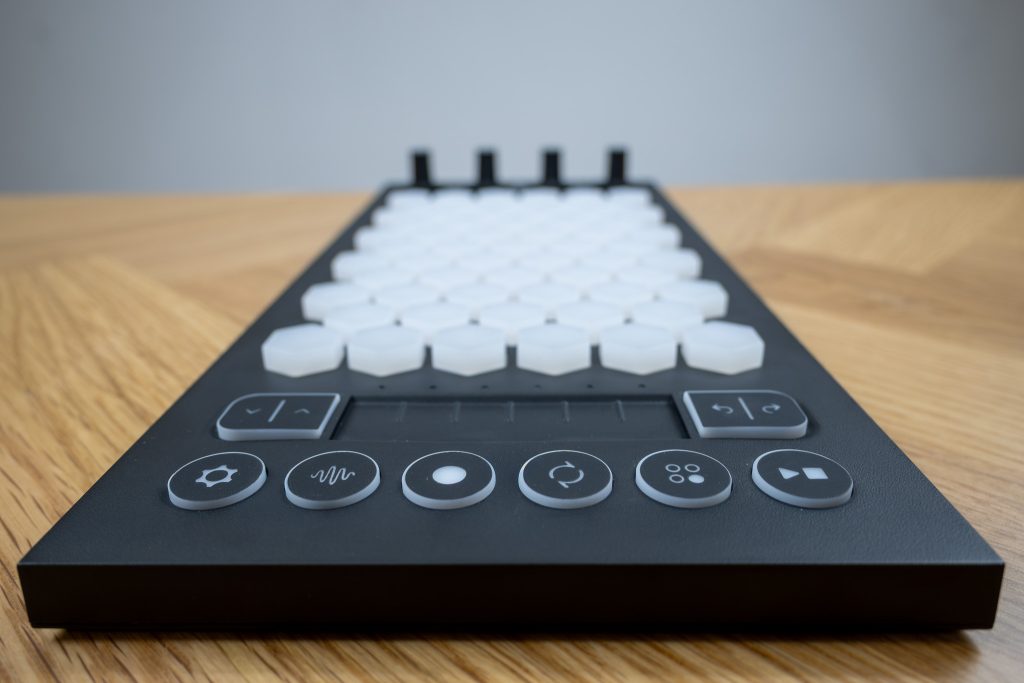
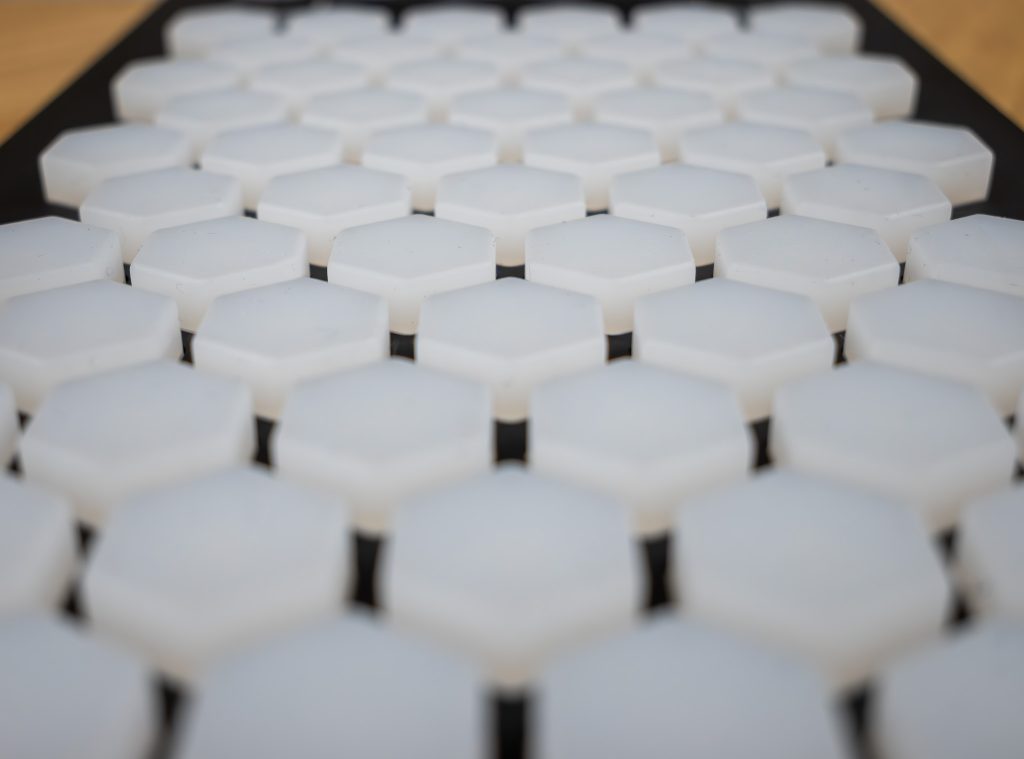
Exquis lives and dies on its layout. Instead of black and white keys, you get a hexagonal backlit keyboard that Intuitive Instruments describes as isomorphic, with notes arranged so that thirds sit next to each other. The immediate practical effect is that chord shapes become consistent across the surface. Your fingers learn a shape, and that shape moves cleanly through keys without the piano’s shifting geometry.
The first hour felt like walking into a kitchen where the drawers are all in the wrong place. I could play, but I kept reaching for habits. Then I hit the first real “aha”: a chord voicing I’d normally treat as a mental math problem became a simple, ergonomic grip. Once you accept the grid, it starts to feel like a map with logic, not a puzzle.
Backlighting matters here. Both keys and buttons are RGB backlit, and Exquis uses that to visually indicate active scales and functions. I found myself trusting my eyes more than usual, which sounds like a gimmick until you realize it’s a design choice that lowers the barrier to experimentation. It invites you to roam.
Expressive MIDI as a Playing Style
MPE is where Exquis tries to justify its “expressive” claim in the most concrete way: per-note control. MIDI Polyphonic Expression is an extension of MIDI that allows per-note expressive control like pitch bend, timbre, and pressure on compatible instruments and controllers. On Exquis, each of the 61 hexagonal pads is velocity sensitive and supports XYZ control per pad. Retailer specs also describe the keys as sensitive to velocity, pressure, and vertical inclination.
In practice, the gestures are the instrument. Velocity gives you the first hit. Pressure becomes the simmer after the sear, the thing you lean into once the note is already alive. Tilt and vertical movement are where you start painting, especially on sounds that respond musically instead of theatrically. I spent one evening doing nothing but slow chords and single notes, pressing harder on one finger while keeping the others steady, then adding a gentle tilt to push a timbre change. When it works, it feels closer to touch than trigger.
Not every moment was clean. I had a couple of times where a gesture didn’t register the way I expected, and I had to adjust how directly I was contacting a pad. Exquis rewards deliberate technique. Fast, sloppy chord stabs were less forgiving.
Knobs, Buttons, and the Feel of the Frame
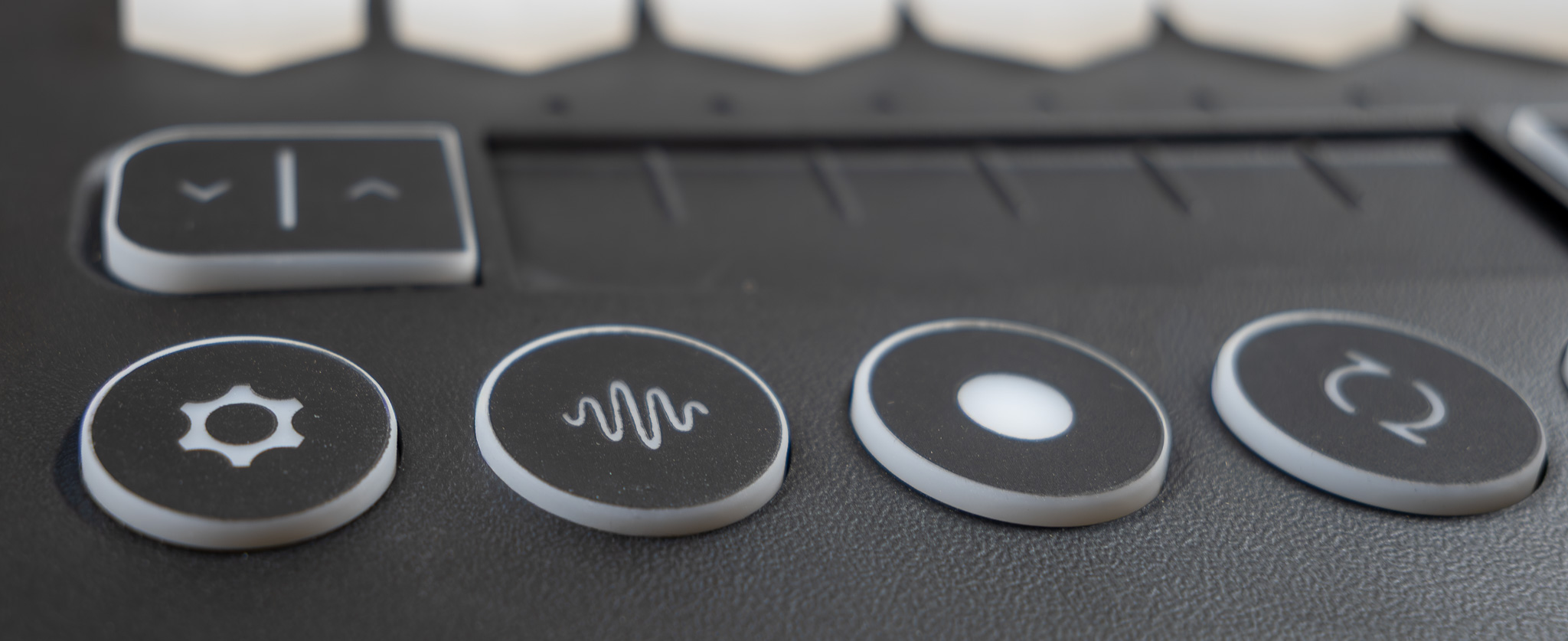
If the layout is the architecture, the control surface is the cabinetry. Exquis gives you four 360° rotary encoders with push-switch functionality, ten RGB backlit silicone push buttons, and a 6-zone capacitive slider that can be configured as six discrete zones or as a continuous control. This is a lot of navigation packed into a compact frame, and when the hardware feels good, it’s a satisfying kind of density.
The encoders on my unit had a confident turn, and the push action felt clear enough that I didn’t second-guess whether I’d clicked. The silicone buttons were softer, and that softness can read as friendly or vague depending on how you play. I had one moment trying to punch a quick change where a button press didn’t land, and it reminded me that Exquis has been talked about as a controller with some unit-to-unit variability. My base also had a faint flex if I pressed hard near an edge—not dramatic, but the sort of thing you notice once and then keep noticing.
The lighting system helps the whole surface feel coherent. You can lean on it to keep your hands in a chosen scale, and Exquis is described as being able to light up over 350 scales so you can stay in-key when you want that guardrail.
Scale Maps You May Never Turn Off
The most immediately helpful part of Exquis for me wasn’t MPE fireworks. It was the way it can teach your hands. Exquis’s firmware supports storage of musical scales and note layouts in device memory. One retailer specifies that firmware version 2.0 allows up to 32 musical scales and 8 custom note layouts stored onboard. That matters because it takes the instrument out of “always tethered to the computer” territory, at least for the basic musical framework.
I’d start a session by selecting a scale and watching the grid reorganize itself in light. Notes that belong glowed with intention, and suddenly the layout felt less like an abstract theory diagram and more like a playable space. It’s a subtle shift: you stop worrying about wrong notes and start focusing on motion, voicing, and phrasing.
Switching modes was also a reminder that Exquis is an interface, not just a keyboard. The same physical geometry can represent different musical realities, and the backlighting keeps you oriented. The best analogy I can give is mise en place. Good cooks prep to reduce hesitation. This is the musical version of that. It doesn’t make you better, but it gives you a cleaner surface to practice on.
The trade-off is that you’re leaning on a system. If you want pure muscle-memory independence, you’ll have to earn it.
The App Vision, Documentation Reality
Exquis is paired with a dedicated Exquis application, and it’s not optional if you want the controller to feel like a complete concept. The app is described as being able to record loops on multiple instruments, create variations, and arrange components as scenes that can be launched or automated with follow actions. It also lets you upload and control your own samples, plug-ins, and effects to build customized setups. On Windows and macOS, the app supports VST and VST3 instrument plug-ins and Audio Unit plug-ins.
My first night with the app was half music, half routing. I hosted a synth plug-in, recorded a loop, then tried building a scene and nudging it into something arrangement-like. When it clicked, Exquis felt like a compact creative hub, the controller acting as both hands and traffic cop. When it didn’t, I felt the edges of the documentation. Guidance around advanced routing and integrations can be incomplete, and I hit that familiar creative-speed bump where you end up learning by trial.
The upside is that Exquis’s ambitions are coherent. It wants to be more than a keyboard. It wants a workflow. The downside is that workflows need clear writing, and the product sometimes feels like it shipped with a draft where you wanted a finished recipe.
Cables, CV, and the Rest of the Studio
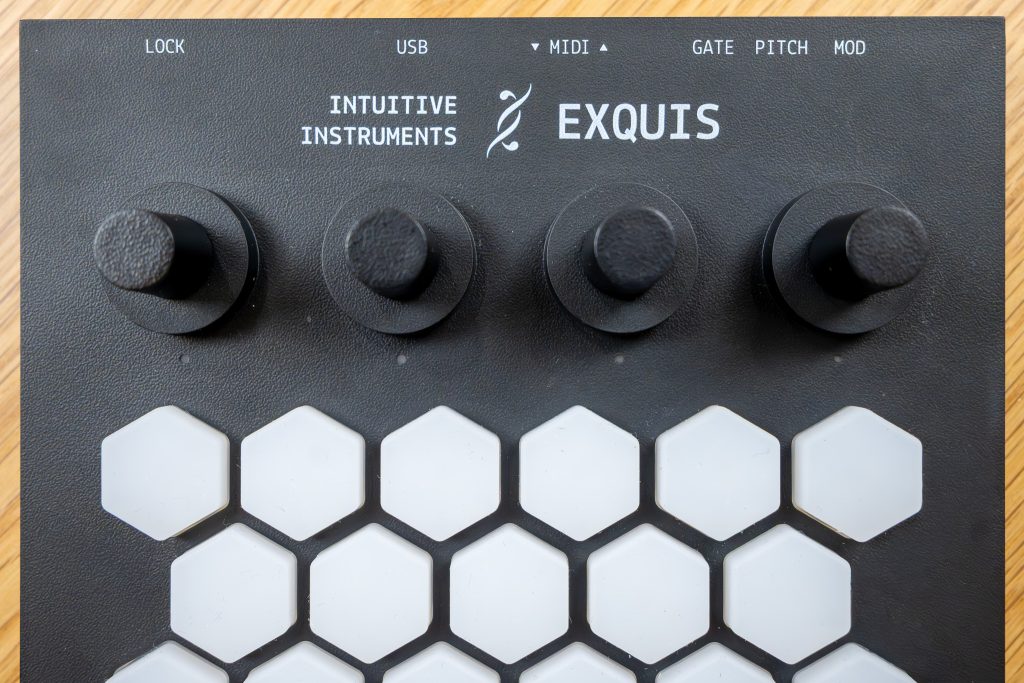
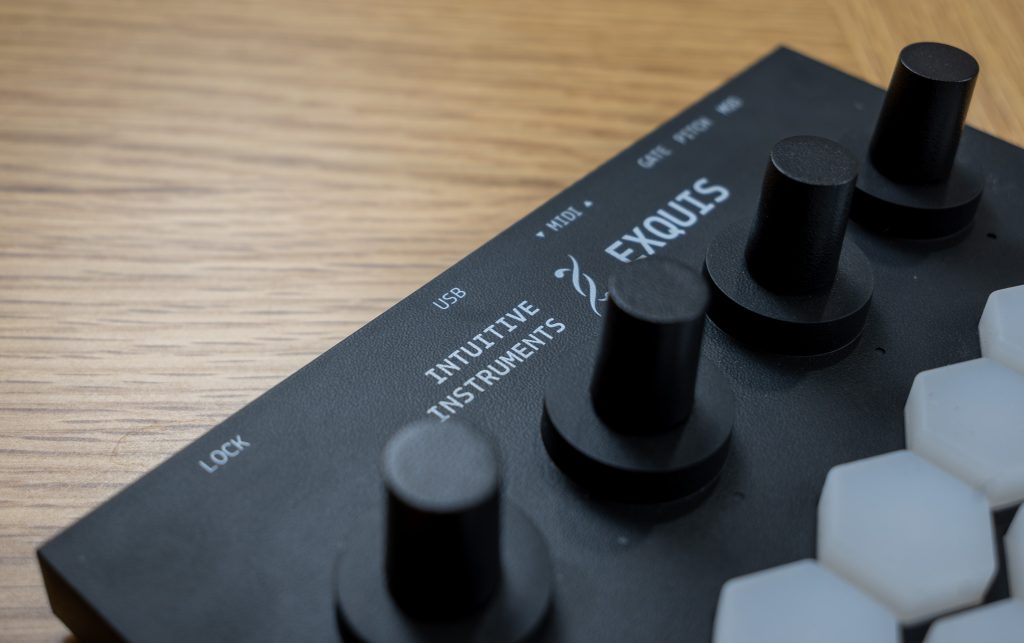
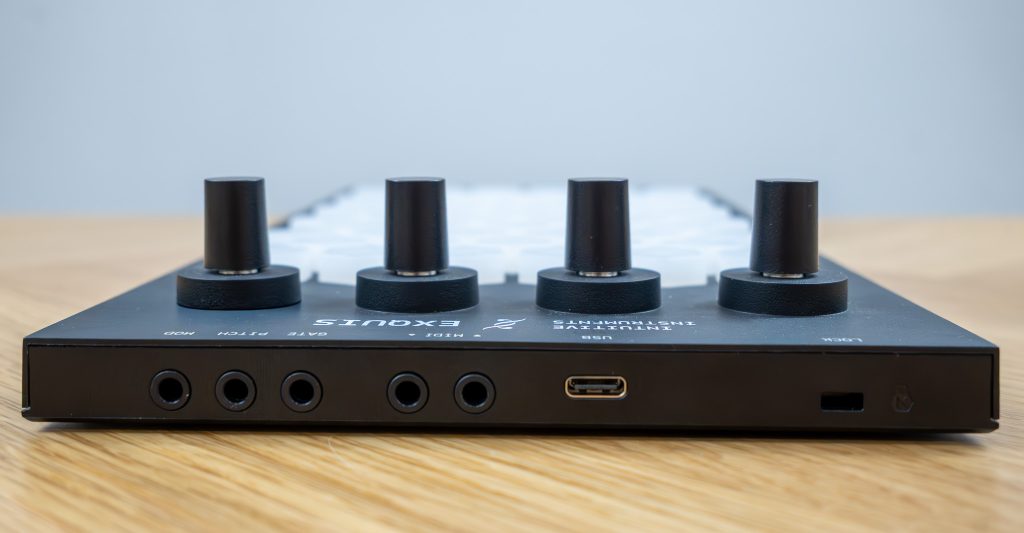
A controller like this only matters if it can live in your real setup. Exquis is powered through USB‑C, which also carries MIDI data, and it adds 3.5 mm TRS MIDI input and output for connecting to external MIDI hardware. Those minijack ports make the included adapter cables feel essential, not bonus.
Where Exquis gets more interesting is modular. It includes 3.5 mm minijack CV outputs labeled GATE, PITCH, and MOD, specified as 0–5 V outputs for interfacing with modular synthesizer systems. That’s a clear invitation: take the isomorphic grid and expressive gestures out of the laptop world. I did a quick patch test to see if the idea felt natural, and it did. The physical act of playing a hex grid while thinking in voltages is exactly the kind of cross-language experiment this controller seems built for.
There’s also support for sustain or expression pedals, described as usable with virtual instruments such as pianos and organs when controlled through the app or compatible DAWs. I like that they didn’t ignore that basic musician reality. Sometimes you want expression that’s not under your fingertips, and a pedal is still the simplest answer.
Cable management gets busy fast, though. Compact doesn’t always mean tidy.
Who Should Move In, Who Should Pass

Exquis has credentials. It received the MIDI Innovation Awards 2023 jury prize in the Commercial Hardware Products category after placing second in the public vote. That tracks with what it is: a controller that tries to push beyond the piano-keyboard default, and mostly succeeds when you meet it on its terms.
If you’re MPE-curious and you want per-note expression that goes past mod-wheel theater, Exquis has the right ingredient list: velocity, pressure, and inclination on 61 pads, plus a layout that makes chord shapes consistent and encourages harmonic exploration. If you work in Ableton Live or Bitwig Studio, Exquis is described as optimized through dedicated integrations or scripts, and the whole “creative hub” idea makes more sense. If you’re a modular person, the CV outs make this more than a DAW accessory.
You should skip it if you’re anchored to piano layouts and want plug-and-play familiarity. You should also think twice if hardware consistency issues make you anxious, or if you require polished documentation to feel productive. Exquis can be a beautiful tool, but it’s not a neutral one.
Final Notes on a Hex Project

Exquis feels like a small manifesto disguised as a controller. The hexagonal isomorphic grid is the point, and it changes the way your hands and brain negotiate harmony. Once you adjust, consistent chord shapes stop being a theory talking point and become a daily convenience. Add MPE, and you get a controller that can treat every note like an ingredient you can season individually, not a block you can only stir from the top.
The hardware is compact and thoughtfully equipped, from the four push encoders and RGB silicone buttons to the configurable capacitive slider. It also carries a quiet asterisk: you’re buying into something ambitious enough that fit and finish matter, and little inconsistencies can pull focus. For me, the bigger friction was the learning curve and the occasional feeling that the app and documentation want one more edit pass before they’re fully effortless.
Buy Exquis if you want a controller that challenges your habits and rewards time, especially if you’re building in Ableton, Bitwig, or a modular ecosystem. Skip it if you want a traditional keyboard with zero translation cost. Late at night, with the scale lit and the rest of the desk dim, it’s hard not to play one more progression just to see where the grid wants to take you.