








Ableton Move Review

There’s a particular kind of device that doesn’t ask you to sit down at a desk so much as wander past, touch it once, and end up staying longer than planned. Ableton Move wants to be that sort of object. The first time I powered it on, the 1.3-inch white OLED blinked awake like a desk lamp in a quiet hallway, and the soft silicone pads glowed with that particular confidence Ableton hardware tends to have. There’s a built-in speaker and microphone, which immediately shifts the mood. This isn’t a controller pleading for permission from a laptop. It’s a standalone instrument that expects you to make something, right there.
Move’s whole pitch is creative hospitality: capture ideas quickly, make fast decisions, trust your intuition. After living with it through a few real sessions at home and away from the desk, I’d say the welcome is mostly genuine. It’s also selective. Move can feel like a thoughtful host, and occasionally like a host who assumes you already know the house rules.
The Neighborhood It Actually Belongs In
Move is marketed as portable and “on the go,” and the compact form makes that believable in the way a good carry-on is believable: it fits where life happens, not where you pose for photos. I found myself leaving it out on the coffee table the way I’d leave a book I’m mid-chapter in. That’s the first sign a music device is doing its job. If it lives in a drawer, it’s dead.
On a slow evening, I took it from the desk to the couch and kept going without renegotiating my whole setup. Another time, I brought it outside, more for the change in air than any fantasy of producing a masterpiece under a tree. The built-in speaker is the key to that casual mobility. You can audition ideas without headphones or a mixer, which lowers the threshold to “just play.”
Back at the desk, Move slots into a more serious posture easily, but it doesn’t demand it. It’s happiest in the in-between spaces: the corner of a kitchen table, the edge of a sofa cushion, the moment before you decide whether you’re working or resting.
The Front Desk: Pads, Knobs, and Tiny Signage
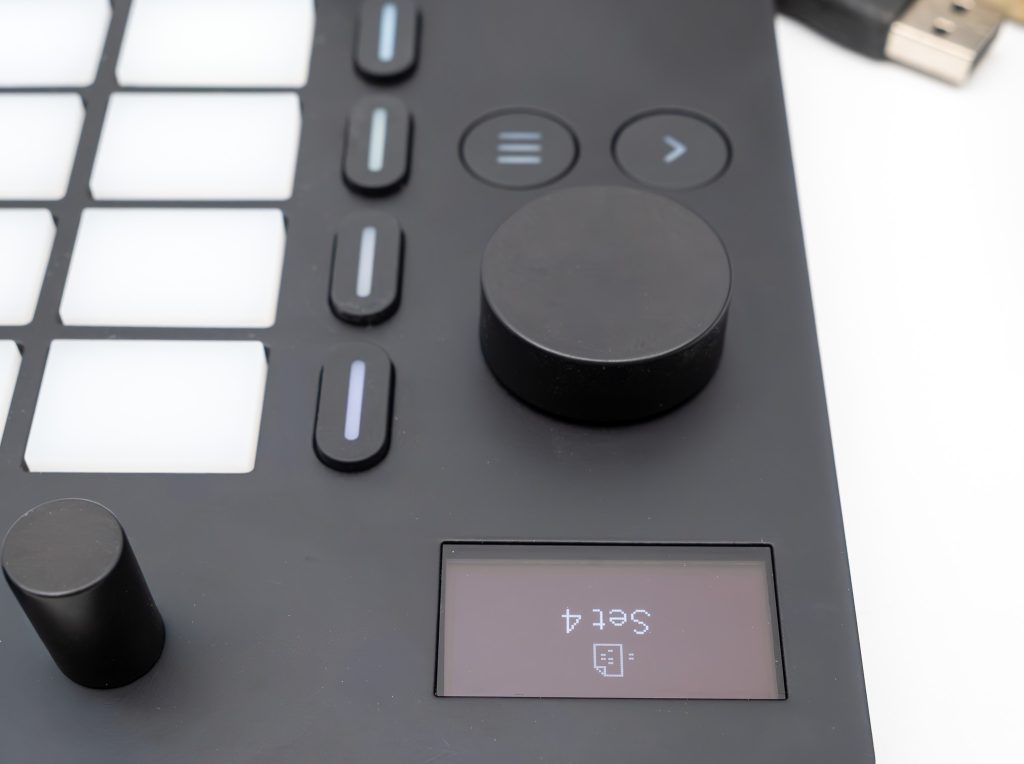
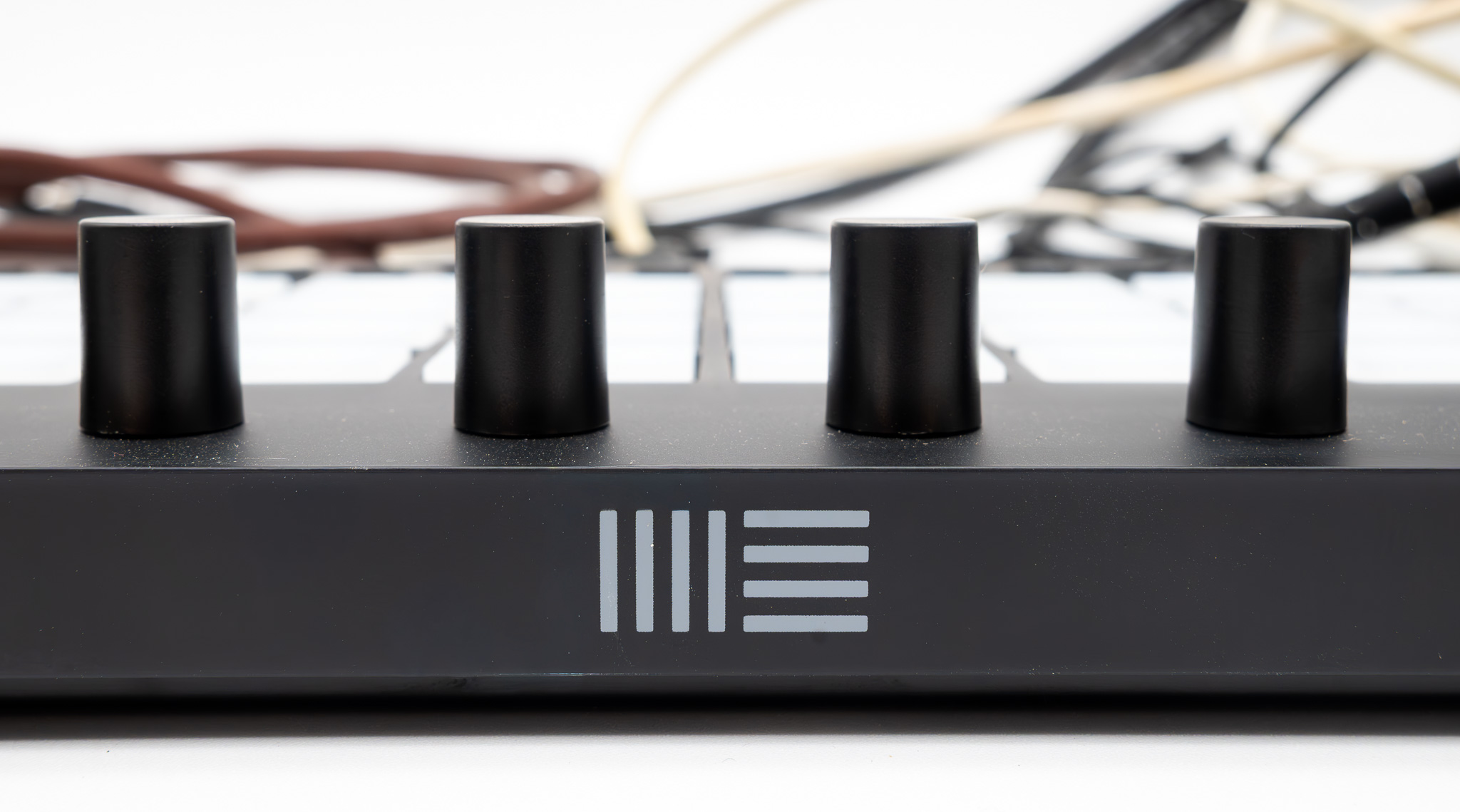
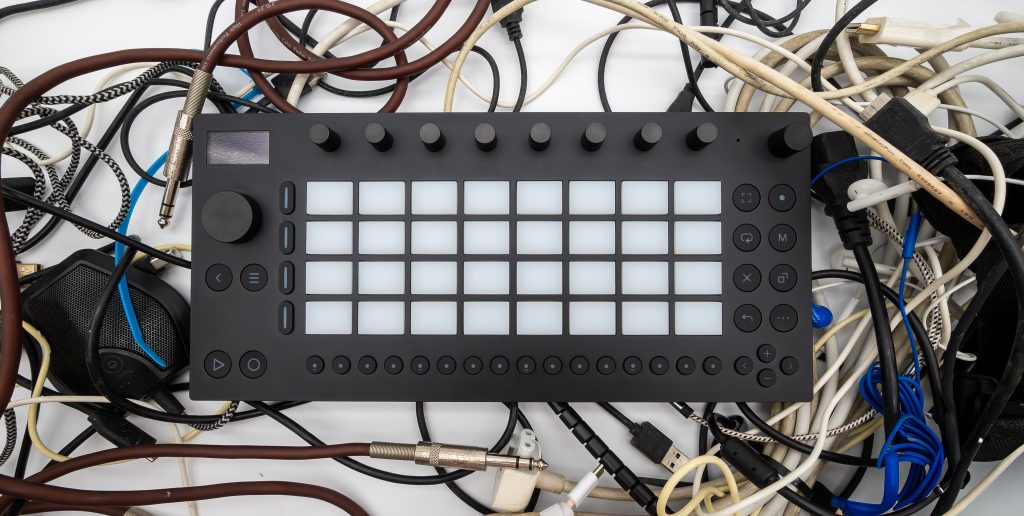
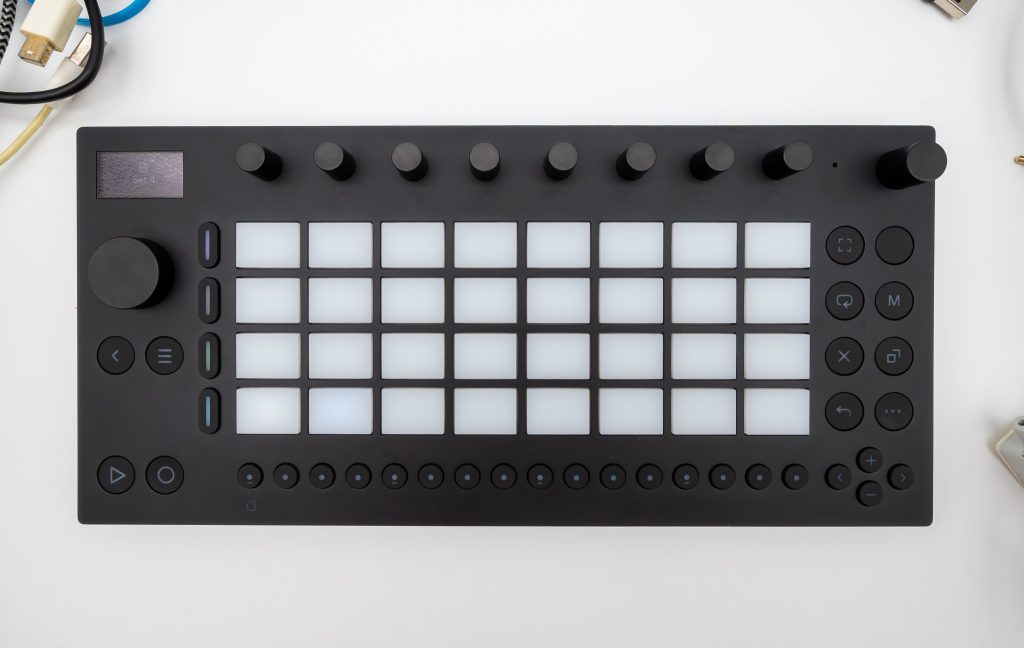
Move’s physical layout is simple to describe and harder to reduce. You get 32 velocity-sensitive, backlit soft silicone pads that do most of the emotional labor. They’re the linens of the place: the thing your hands touch constantly, the thing that tells you whether you’ll stay awhile. Alongside them are 9 high-resolution encoders, 16 backlit multifunctional buttons, and a touch-sensitive, clickable jog wheel. The screen is a 1.3-inch white OLED, small but crisp, like a neatly printed room directory.
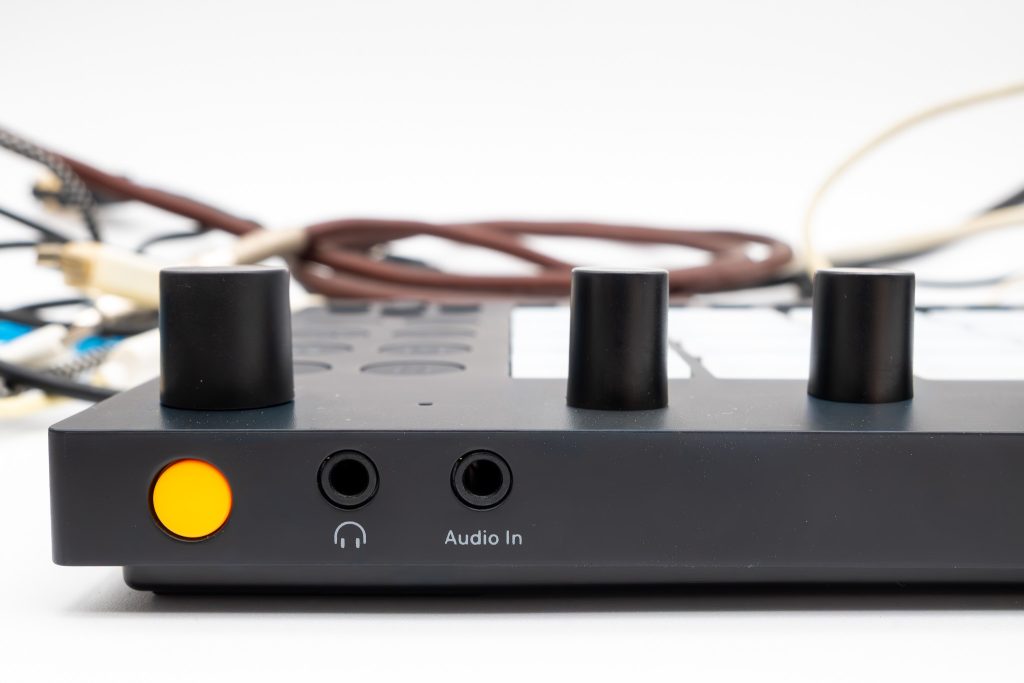
Around back sits the yellow power button. The first night, pressing it felt ceremonial in a modest way, and the boot landed me straight into Standalone Mode, where the onboarding tutorial offered Wi‑Fi setup, a choice about error reporting, and an update prompt. The next morning, I appreciated that the tutorial spoke plainly. By the second evening, I was skipping past it with the confidence of someone who knows where the ice machine is.
In the box, Ableton includes a USB‑C power supply, a USB‑C cable, a getting started guide, a safety and warranty booklet, and a controls overview. Charging can happen through the included power supply or by connecting to a computer with the included USB‑C cable. When it’s off and you connect power, a battery icon flashes on the display, a tiny courtesy nod that the house is taking care of you.
My first real friction point was the display outdoors. In bright light, I caught myself squinting, leaning, shading it with a hand. Inside, it’s fine. Outside, the hospitality thins.
Public Spaces and Private Choices
Move’s design reads like Ableton, which is to say it doesn’t try to charm you with nostalgia. It aims for clarity. The pads have a soft, forgiving surface that makes long stretches of tapping feel less like work and more like fidgeting with intent. Velocity sensitivity matters here because it turns a grid into an instrument. Light pressure versus a firmer hit produces a different emotional contour, and that keeps sketches from sounding like sketches.
The encoders have the kind of resistance I like in any control surface. They don’t feel loose or decorative. The jog wheel, touch-sensitive and clickable, gives navigation a central “host stand” that’s easy to find by feel. The 16 backlit buttons do a lot of jobs, and they do it without looking like a cockpit. Backlighting, used well, is hospitality. It helps you move through the space without feeling watched or tested.
What I noticed over repeated sessions is that Move encourages commitment. It doesn’t drown you in options, and the physical design reinforces that. You’re always a few gestures away from making a decision and hearing it in context. That’s the product’s design philosophy made tactile: less rummaging, more playing, more choosing.
Check-In Rituals and Random Room Keys
Move’s first boot feels curated. The onboarding tutorial is structured, not cute, and it nudges you toward Wi‑Fi so you can install the latest update. There’s an option to skip, which I respect. A good host offers help without trapping you in conversation.
After setup, you land in the Set Overview, where you can open one of four demo Sets or create a new Set. Starting fresh is where Move shows its personality: when you begin a new Set, it loads four random instrument presets. That’s a bold hospitality move. It’s the chef sending out an amuse-bouche you didn’t order.
Sometimes the random presets felt like a generous prompt, the way a bartender’s “Try this” can rescue you from overthinking. Other times, I wanted the device to stop being clever and let me choose a more deliberate starting point. Still, the approach serves the core mission: get your hands moving before your brain builds a committee.
Once I learned the basic navigation, the small OLED became less of a limitation and more of a constraint you work with, like a tightly designed hotel room where everything is placed with intent. Move doesn’t try to be a big-screen workstation. It tries to be a place where you can start quickly and keep the energy intact long enough to matter.
Four Courses, One Solid Meal
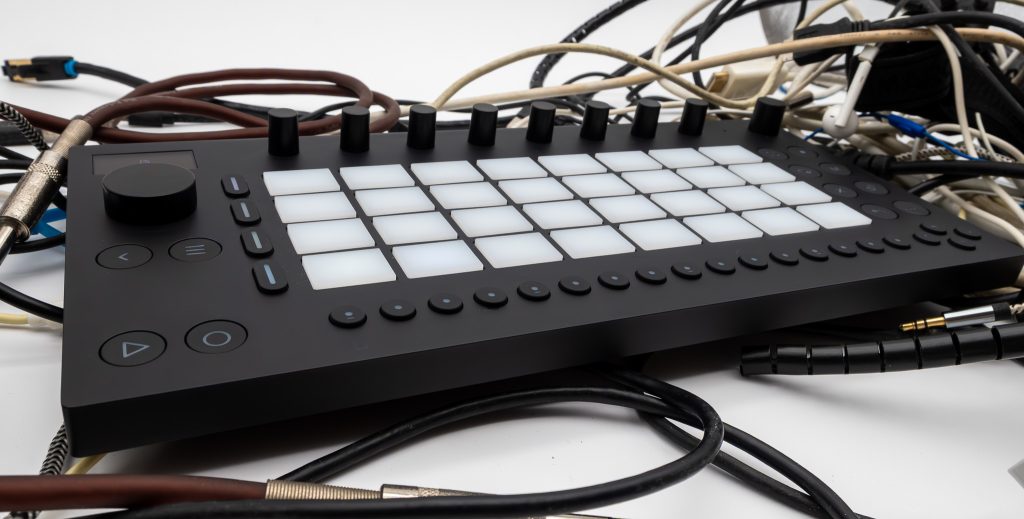
Move gives you four tracks, and each can be configured in Drum Mode, Melodic Mode, or as a sampler. In practice, that feels like a compact table with four place settings: enough to host a full idea if you don’t insist on inviting the whole neighborhood.
One afternoon, I started with drums on the pads, building a simple pattern and leaning on the Repeat feature to spit out tight, repeating notes without making my fingers do all the labor. It’s a small feature with outsized hospitality value. Repeat is the housekeeping of rhythm. It keeps things tidy while you focus on the fun part.
Melodic work came next, and the built-in instruments made that easy to approach. Move includes Drum Sampler, Wavetable, Drift, and Melodic Sampler. I didn’t feel stranded for raw material. Between presets and quick tweaks, I could move from “sound” to “part” without spiraling.
Then Capture did what it promises. I played something half-formed, lost track of time, and realized I wanted it back. Move remembers what you just played so ideas aren’t lost. That’s genuine welcome. It feels like the host who noticed you left your scarf on the chair and already set it aside for you.
Amenities, Limitations, and the Standalone Line
Move’s “amenities” are where it stops being charming and starts being a serious standalone music-making tool. Session Mode lets you mix and match musical ideas, using pads to trigger clips. It’s an inviting way to structure a sketch because it encourages variation without demanding a linear commitment. I’d build a few clips, trigger combinations, and let the set breathe, like moving between a bar, a courtyard, and a quieter corner without leaving the property.
Sampling is central here. You can record audio samples directly into Move using the built-in microphone or the stereo line input, then play and process them with Drum Sampler and Melodic Sampler devices. It also supports internal resampling of its tracks, which makes it easy to turn a moment into material and then treat it like something new. I grabbed a quick sound through the microphone, mapped it, and used it as texture rather than a novelty. The built-in speaker helped with quick monitoring, more “does this work?” than “is this pristine?”
Move supports parameter automation, so encoder tweaks can be recorded as dynamic changes in real time. That’s where the encoders earn their keep. Subtle motion, captured and repeated, is often the difference between a loop and a piece of music.
A practical note, delivered without drama: to connect a microphone or guitar pickup, you’ll need an external preamp with line-level output. Move’s stereo line in is welcoming, but it expects you to arrive properly dressed.
Battery, Live, and the Regulars
Ableton says Move’s battery provides up to four hours of use on a single charge. In my routine, that claim felt like a reasonable ceiling rather than a promise carved in stone. On a long session away from an outlet, I became more battery-aware than I wanted to be, and I learned to treat charging like you treat water service at a good restaurant: keep it coming before you’re desperate. You can charge with the included power supply, or by connecting it to a computer via USB‑C.
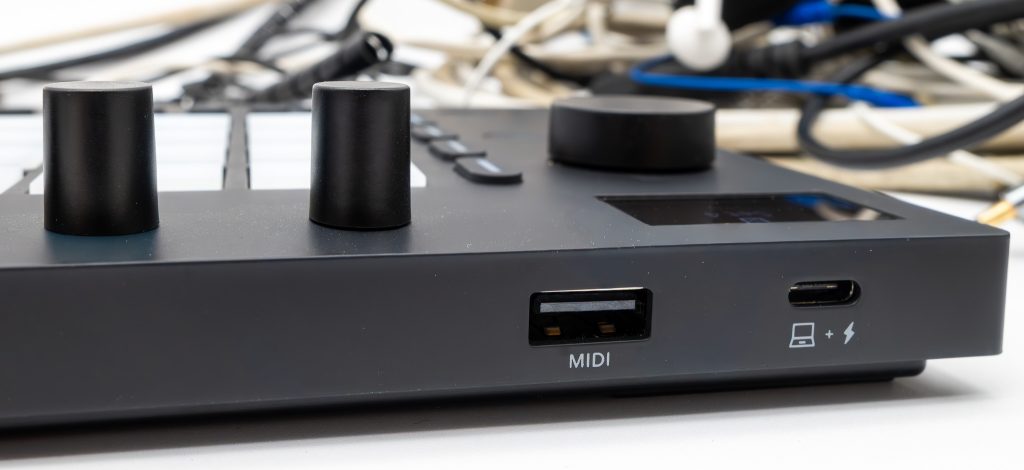
My second complaint is also a simple one: the single USB‑C port does double duty for charging or transferring data and controlling Ableton Live on a computer. In practice, that means you sometimes choose between “connected” and “charging.” It’s a clean design choice, but it’s still a choice you feel.
Integration, though, is where Move earns its place for a certain kind of user. It’s designed primarily as a standalone instrument, but it can connect to a computer as a control surface for Ableton Live or as an audio interface. Move comes with Ableton Live 12 Intro, and loading a Set into Live gives your sketch a larger room to grow in. When I connected it via USB‑C, Live recognized it as a control surface without me having to cajole it, which is exactly how this should work.
Move also connects to class-compliant MIDI devices, and it has built-in Wi‑Fi for updates. With 64 GB of internal storage, it feels prepared to hold plenty of work-in-progress without acting precious about it.
At USD 499, the value hinges on whether you want a portable standalone tool that can later sit comfortably beside Ableton Live, or whether you’re shopping for a deeper, more expansive standalone workstation. Move is the former, proudly.
Final Take

Ableton Move succeeds when you judge it the way you’d judge a well-run property: not by how many amenities it can list, but by how naturally it gets you to settle in. It greets you with playable pads, sensible controls, and a standalone posture that doesn’t require you to build a shrine around it. The onboarding is brisk and functional, the random presets are a surprisingly effective nudge, and features like Repeat and Capture feel like real hospitality, not marketing theater.
Buy Move if you want a portable instrument that helps you start quickly, make decisions, and keep momentum, especially if Ableton Live is part of your life and you’ll benefit from the included Live 12 Intro and the ability to continue Sets on a computer. It’s also a strong fit if you like the idea of sampling through a built-in microphone, sketching on four tracks, then refining later.
Skip it if you know you need a larger display for comfort, or if the single USB‑C port would irritate you every time you try to juggle charging and connectivity. Move rewards attention, but it doesn’t coddle.
The moment that stayed with me was simple: sitting on the couch after dinner, pads glowing softly, built-in speaker doing its modest job, and the yellow power button waiting patiently for tomorrow. That’s the device’s best trick. It makes coming back feel easy.